Fluentd vs. Logstash
Masaki Matsushita
NTT Communications
About Me
● Masaki MATSUSHITA
● Software Engineer at
○ We are providing Internet access here!
● Github: mmasaki Twitter: @_mmasaki
● 16 Commits in Liberty
○ Trove, oslo_log, oslo_config
● CRuby Commiter
○ 100+ commits for performance improvement
2
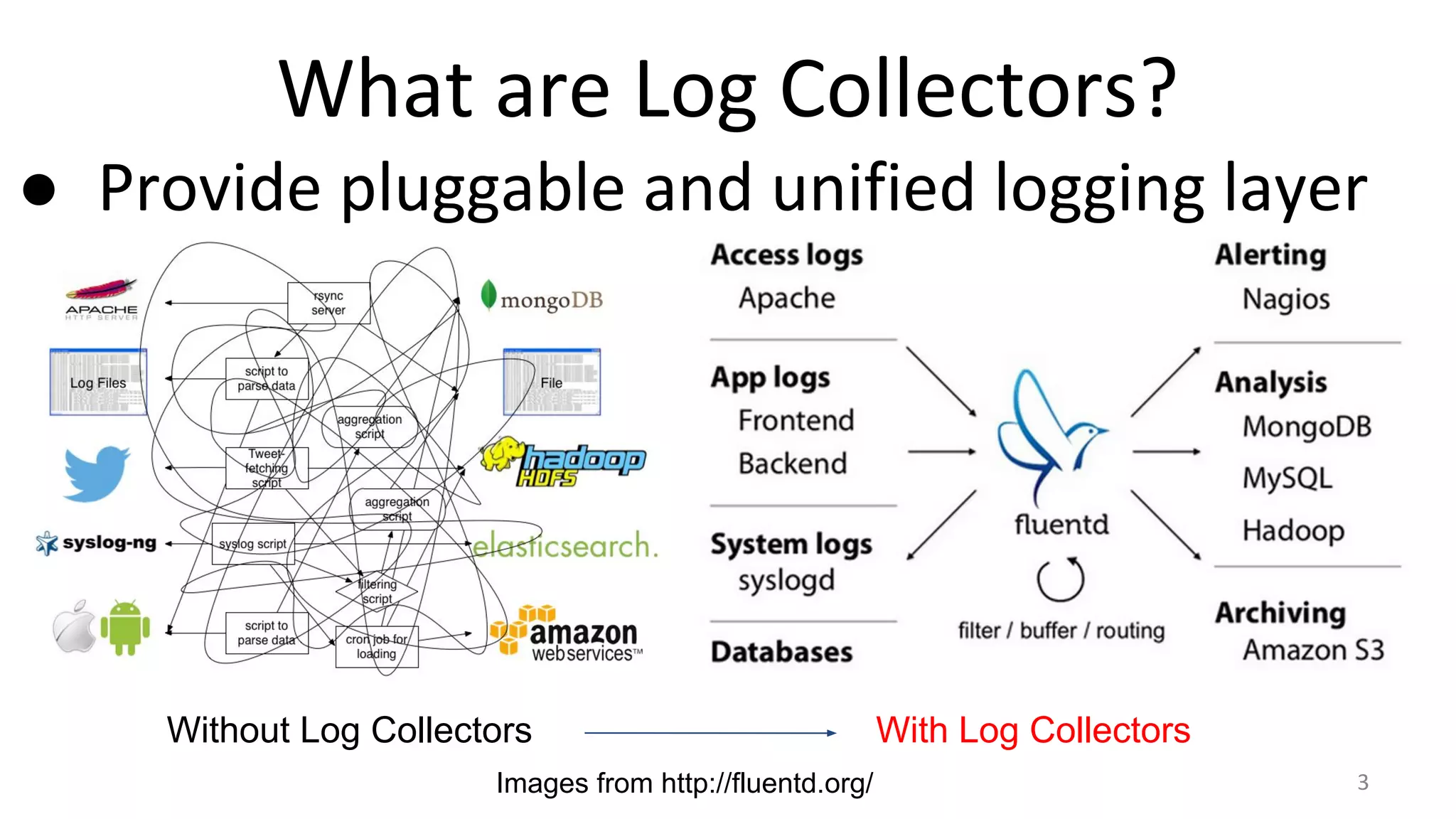
What are Log Collectors?
● Provide pluggable and unified logging layer
Without Log Collectors With Log Collectors
Images from http://fluentd.org/ 3
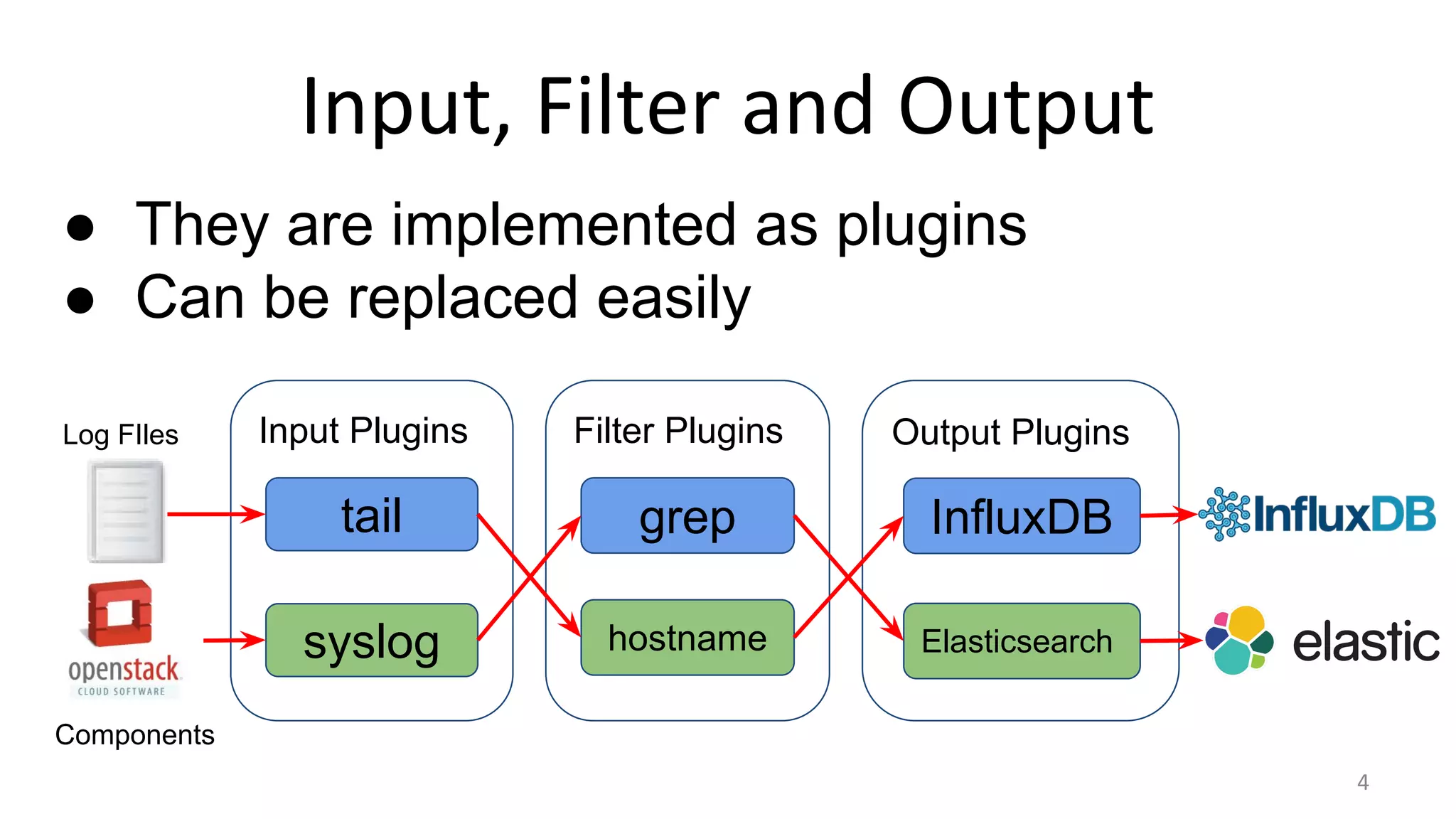
Input, Filter and Output
4
Input Plugins
tail
syslog
Filter Plugins
grep
hostname
Output Plugins
InfluxDB
Elasticsearch
● They are implemented as plugins
● Can be replaced easily
Log FIles
Components
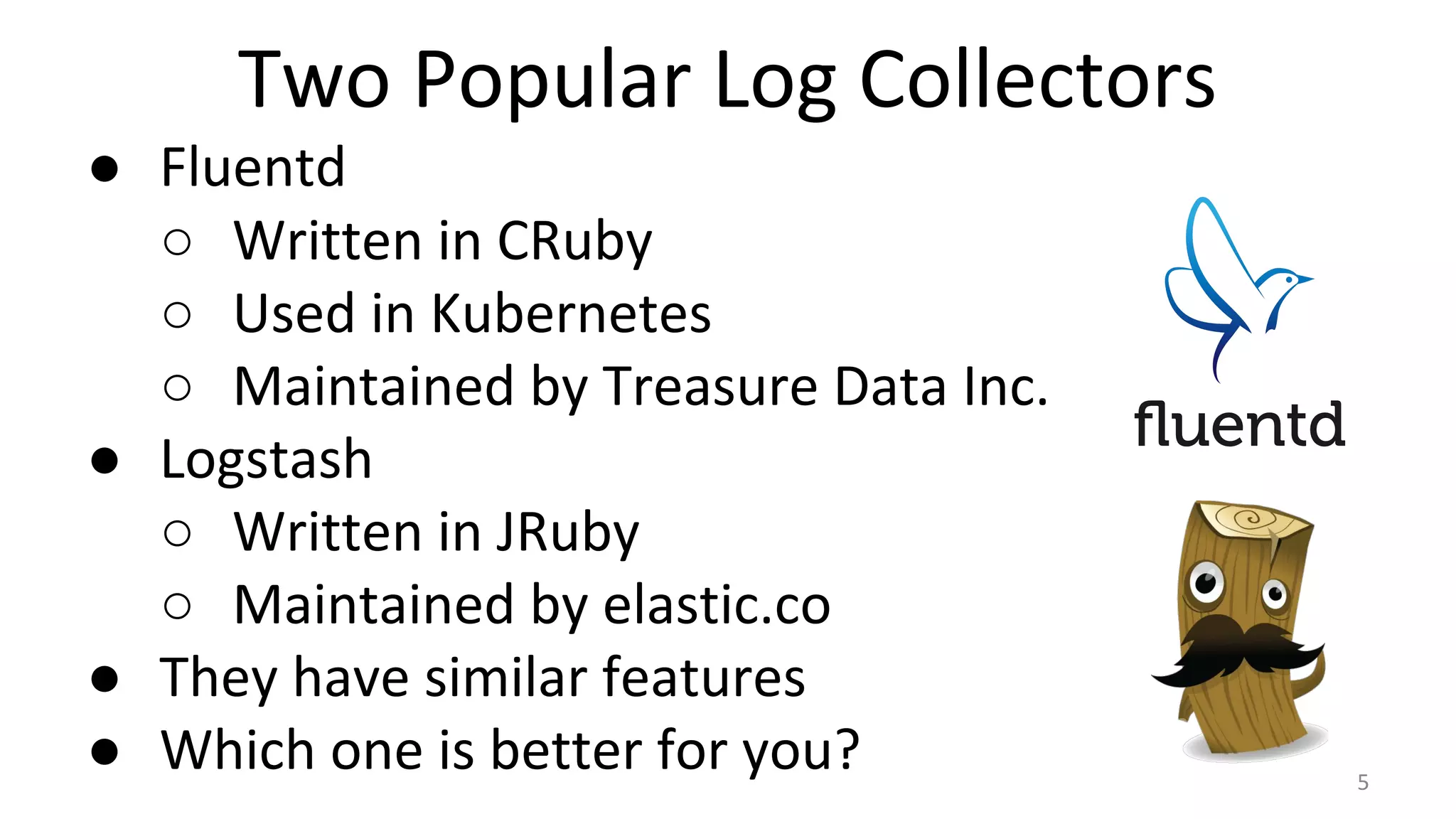
Two Popular Log Collectors
● Fluentd
○ Written in CRuby
○ Used in Kubernetes
○ Maintained by Treasure Data Inc.
● Logstash
○ Written in JRuby
○ Maintained by elastic.co
● They have similar features
● Which one is better for you? 5
Agenda
● Comparisons
○ Configuration
○ Supported Plugins
○ Performance
○ Transport Protocol
● Integrate OpenStack with Fluentd/Logstash
○ Considering High Availability 6
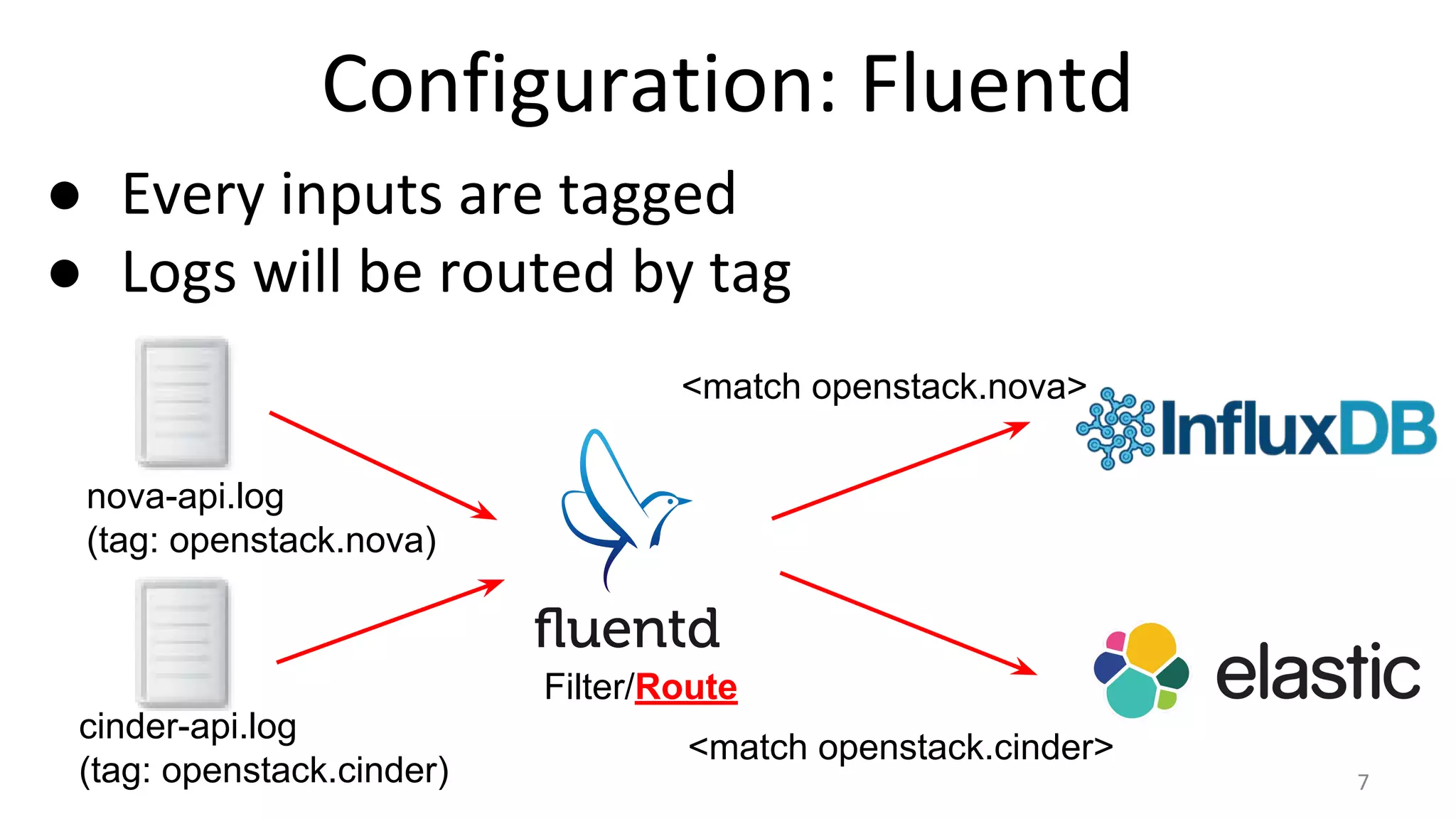
Configuration: Fluentd
● Every inputs are tagged
● Logs will be routed by tag
nova-api.log
(tag: openstack.nova)
cinder-api.log
(tag: openstack.cinder)
<match openstack.nova>
<match openstack.cinder>
Filter/Route
7
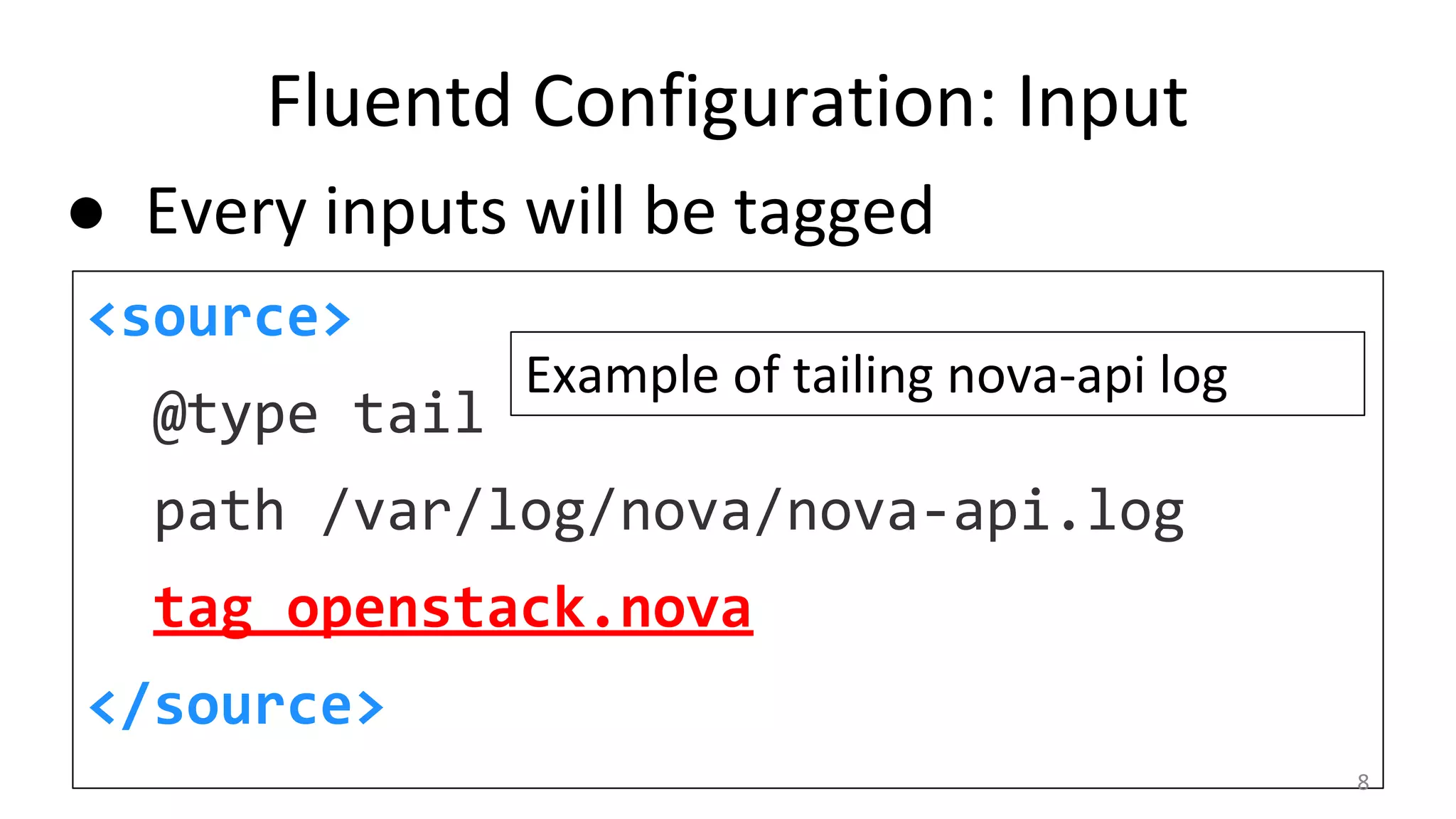
Fluentd Configuration: Input
<source>
@type tail
path /var/log/nova/nova-api.log
tag openstack.nova
</source>
Example of tailing nova-api log
● Every inputs will be tagged
8
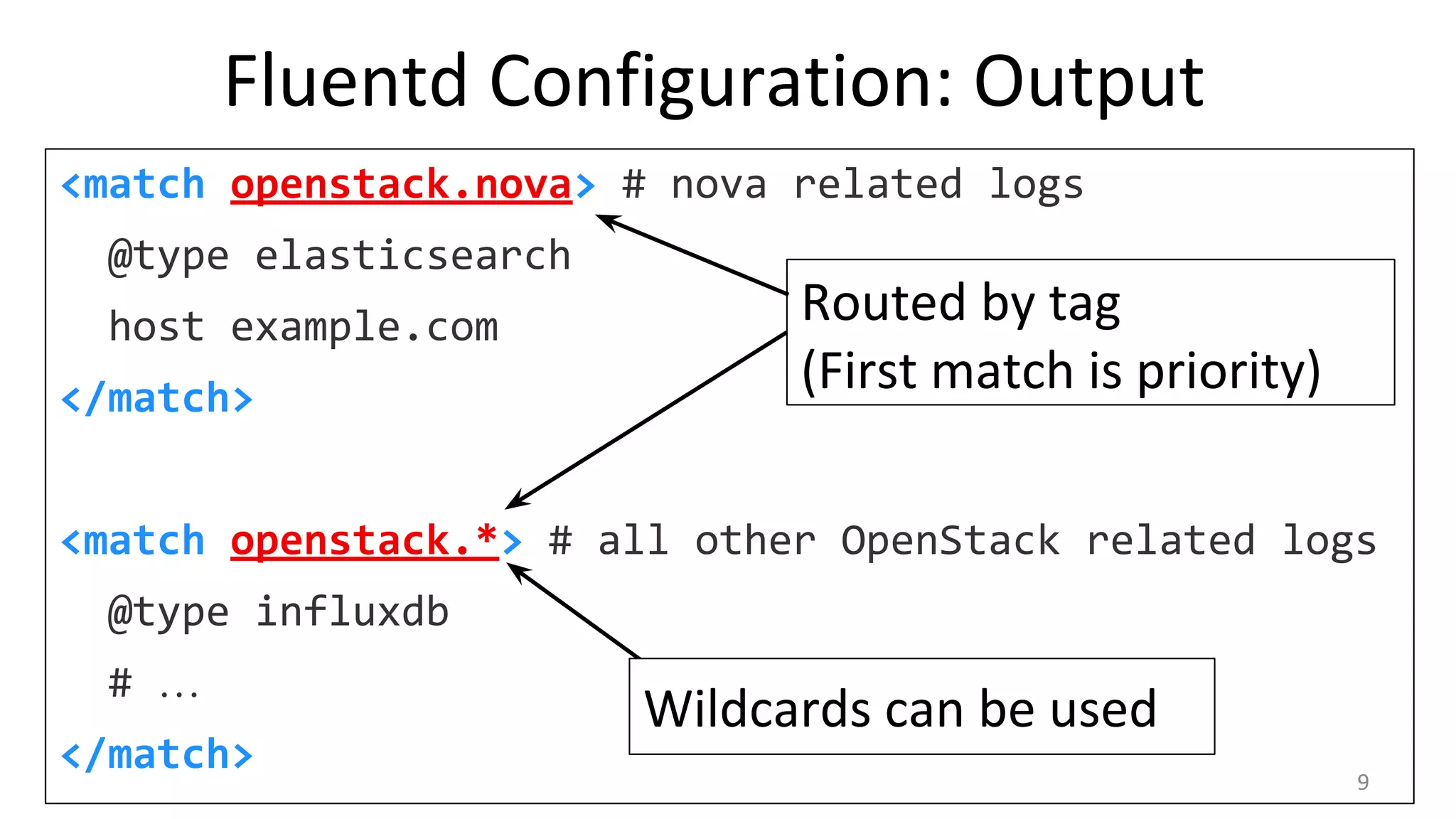
Fluentd Configuration: Output
<match openstack.nova> # nova related logs
@type elasticsearch
host example.com
</match>
<match openstack.*> # all other OpenStack related logs
@type influxdb
# …
</match>
Routed by tag
(First match is priority)
Wildcards can be used
9
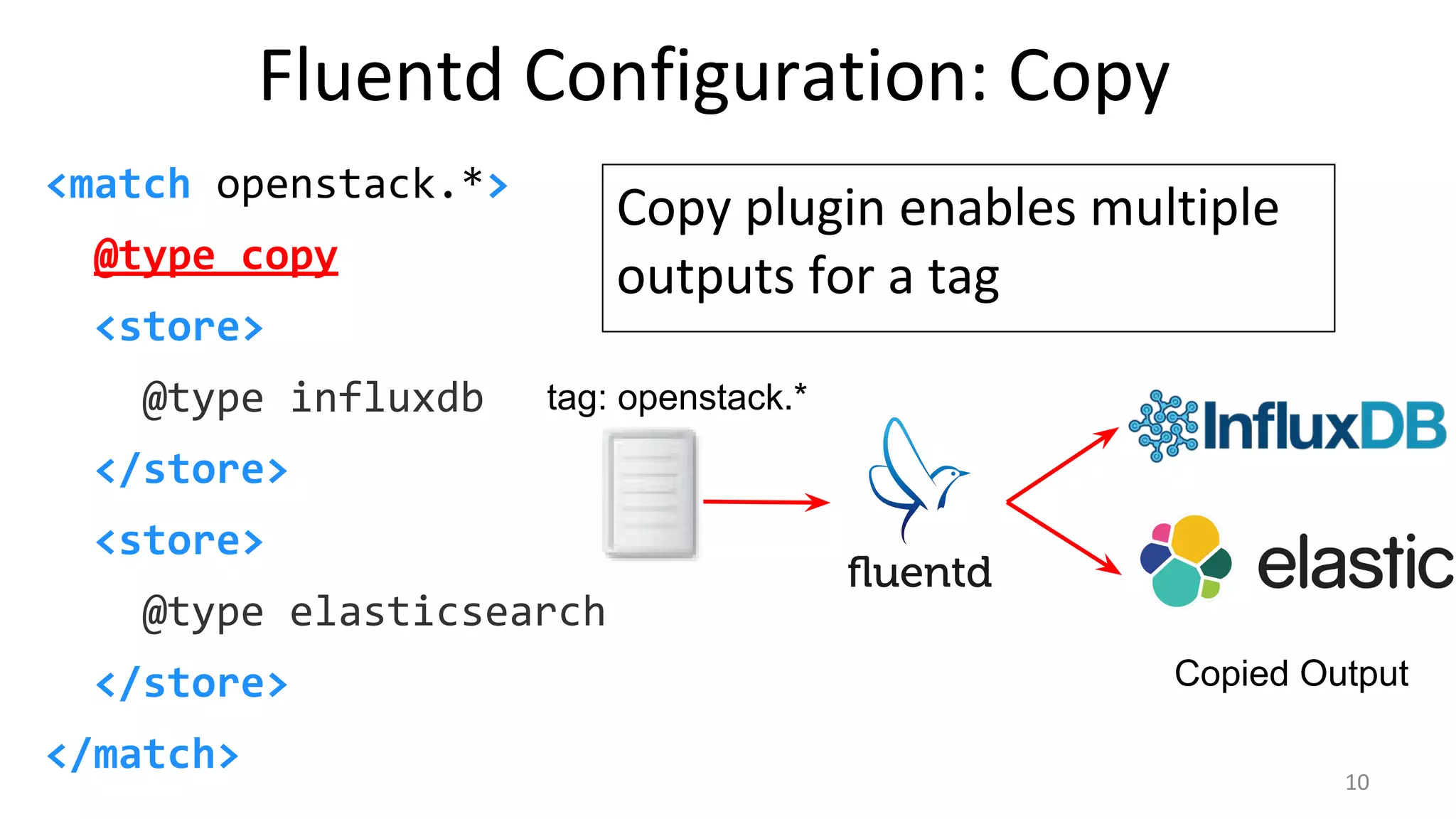
Fluentd Configuration: Copy
<match openstack.*>
@type copy
<store>
@type influxdb
</store>
<store>
@type elasticsearch
</store>
</match>
Copy plugin enables multiple
outputs for a tag
Copied Output
tag: openstack.*
10
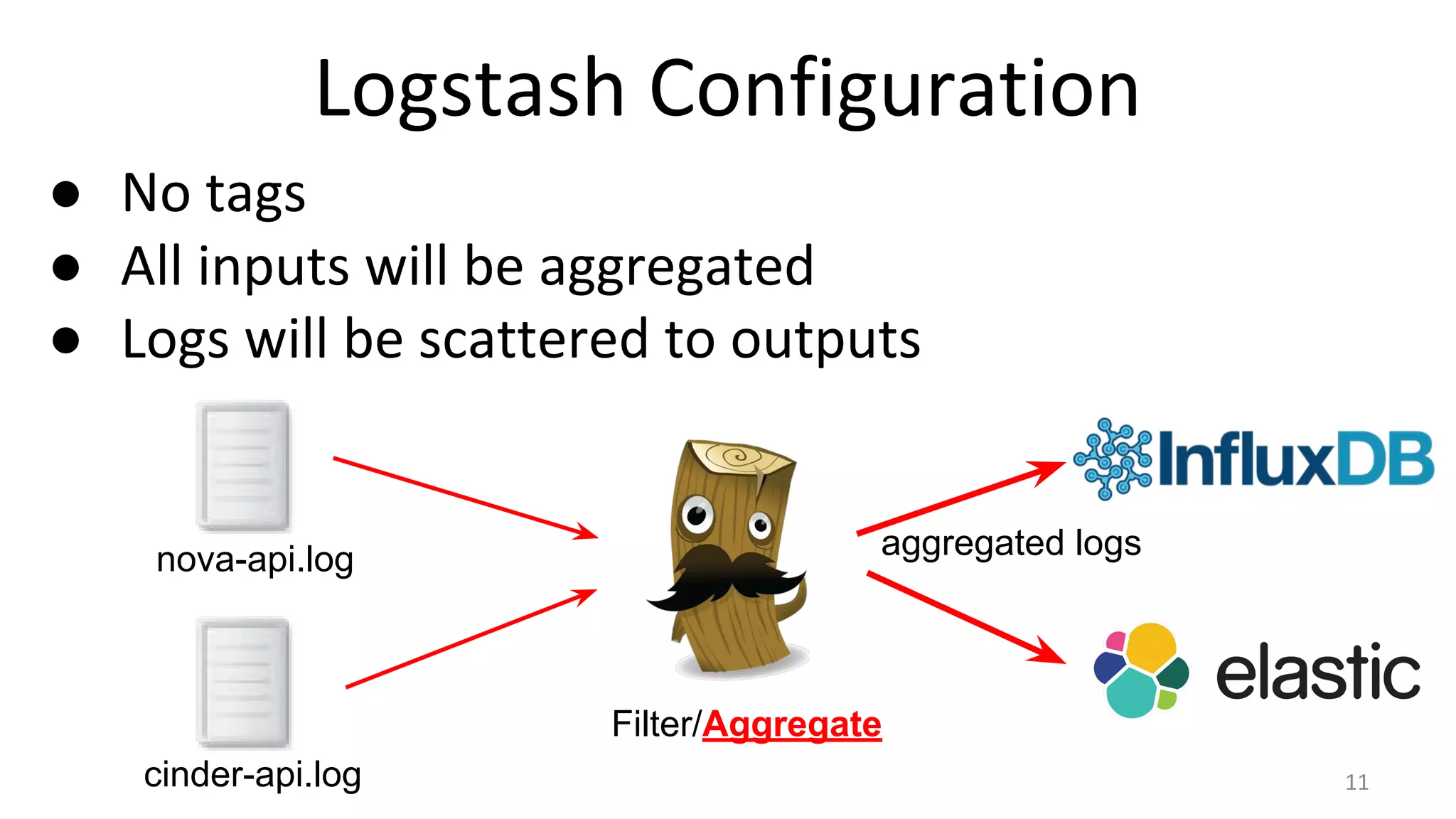
Logstash Configuration
● No tags
● All inputs will be aggregated
● Logs will be scattered to outputs
nova-api.log
cinder-api.log
Filter/Aggregate
aggregated logs
11
Logstash Configuration
input {
file { path => “/var/log/nova/*.log” }
file { path => “/var/log/cinder/*.log” }
}
output {
elasticsearch { hosts => [“example.com”] }
influxdb { host => “example.com”... }
}
12
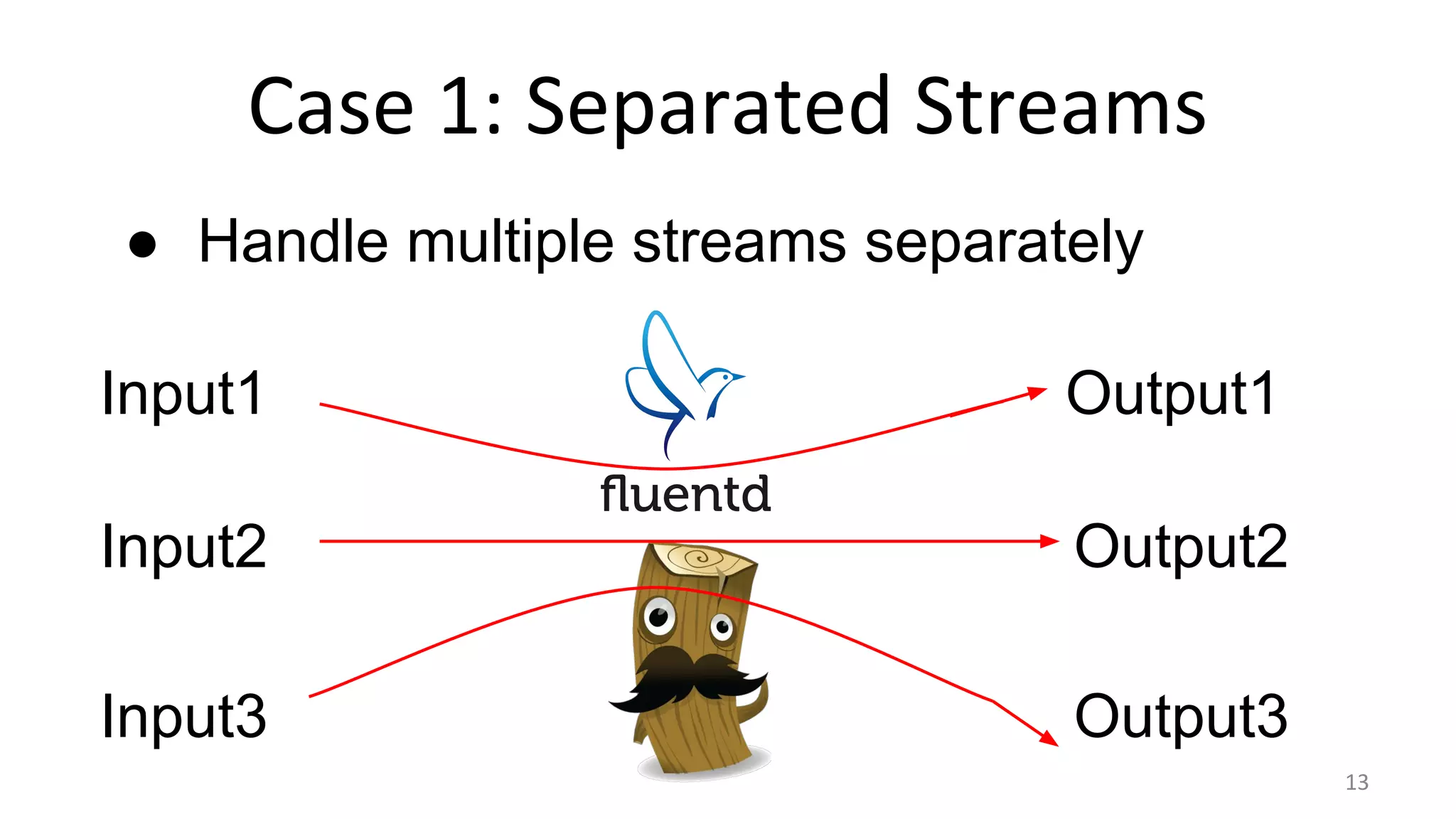
Case 1: Separated Streams
Input1
Input2
Input3
Output2
Output3
Output1
● Handle multiple streams separately
13
Case 1: Separated Streams
Fluentd: Simple matching by tag
<match input.input1>
@type output1
</match>
<match input.input2>
@type output2
</match>
<match input.input3>
@type output3
</match>
Logstash: Conditional Outputs
output {
if [type] == “input1” {
output1 {}
} else if [type] == “input2” {
output2 {}
} else if [type] == “input3” {
output3 {}
}
}
Need to split aggregated logs
14
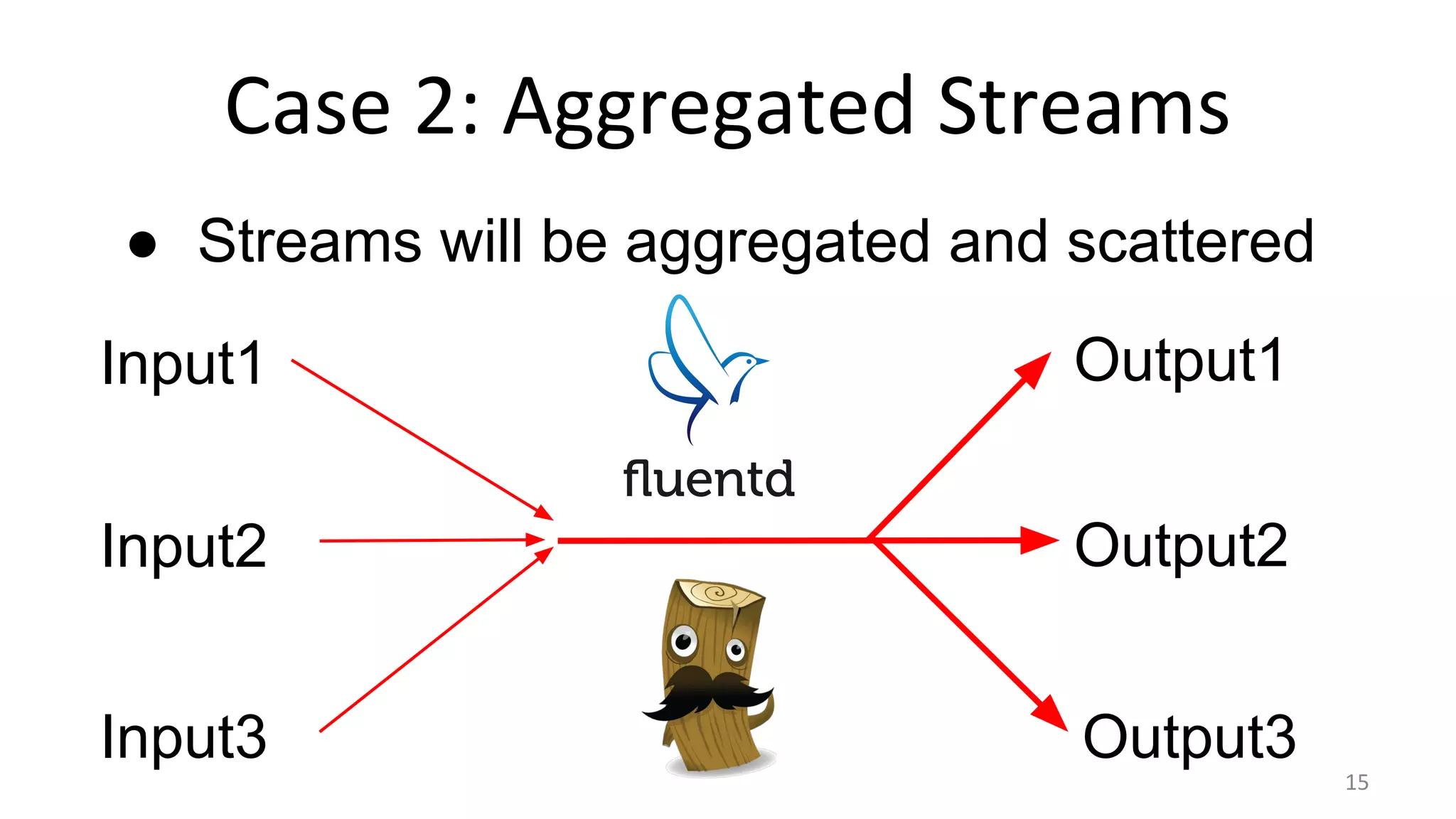
Case 2: Aggregated Streams
Input1
Input2
Input3
Output2
Output3
Output1
● Streams will be aggregated and scattered
15
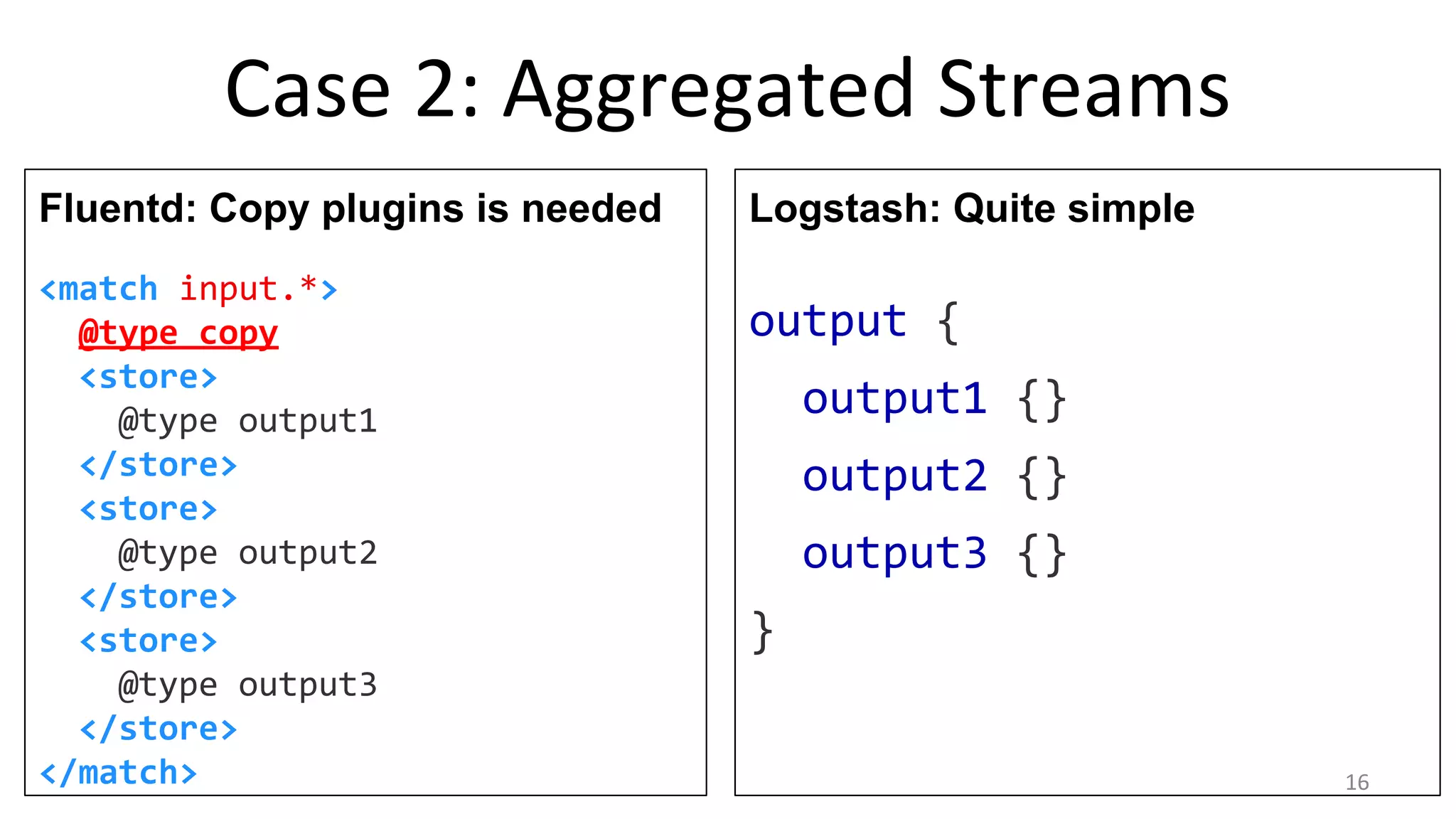
Case 2: Aggregated Streams
Fluentd: Copy plugins is needed
<match input.*>
@type copy
<store>
@type output1
</store>
<store>
@type output2
</store>
<store>
@type output3
</store>
</match>
Logstash: Quite simple
output {
output1 {}
output2 {}
output3 {}
}
16
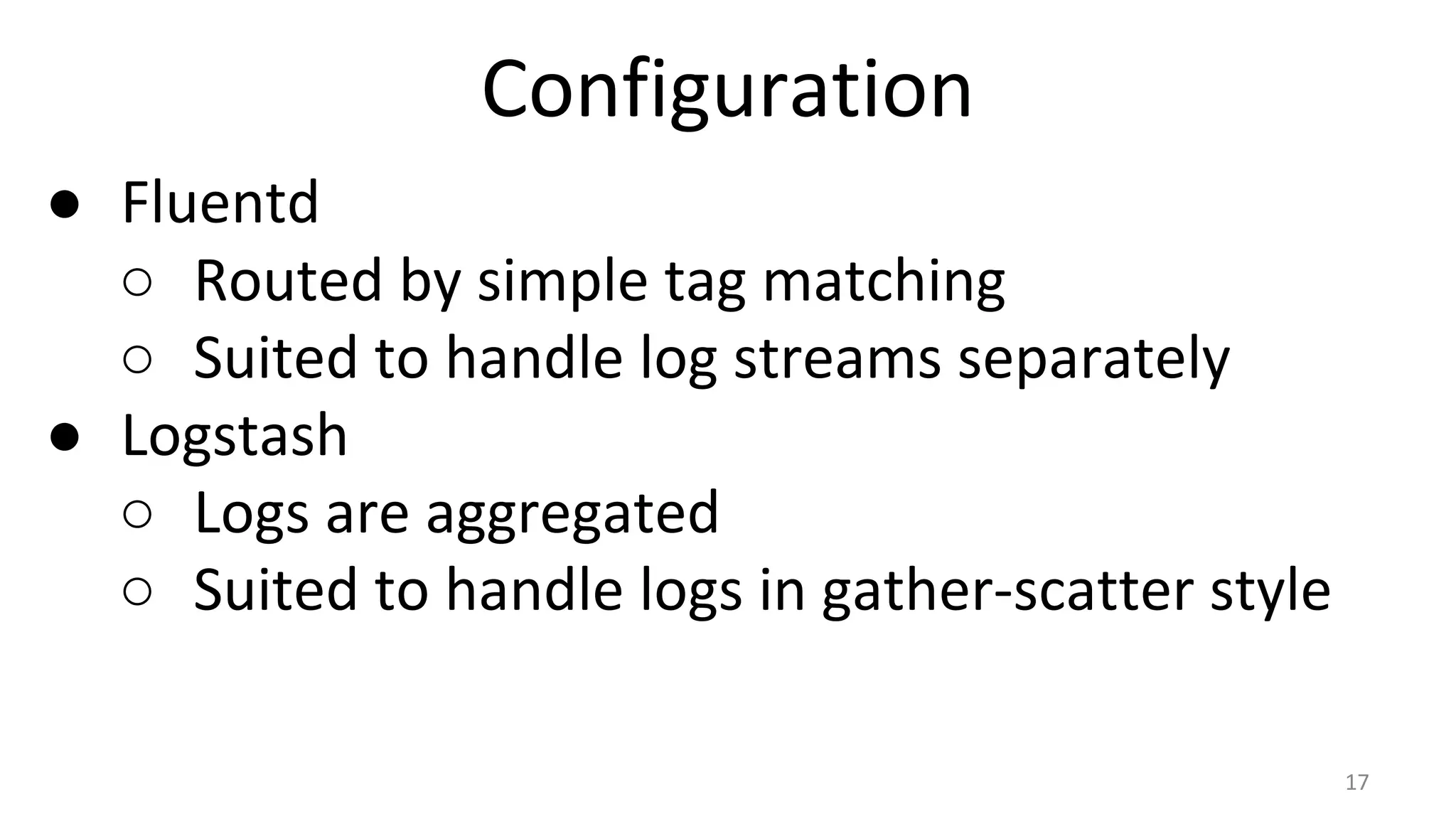
Configuration
● Fluentd
○ Routed by simple tag matching
○ Suited to handle log streams separately
● Logstash
○ Logs are aggregated
○ Suited to handle logs in gather-scatter style
17
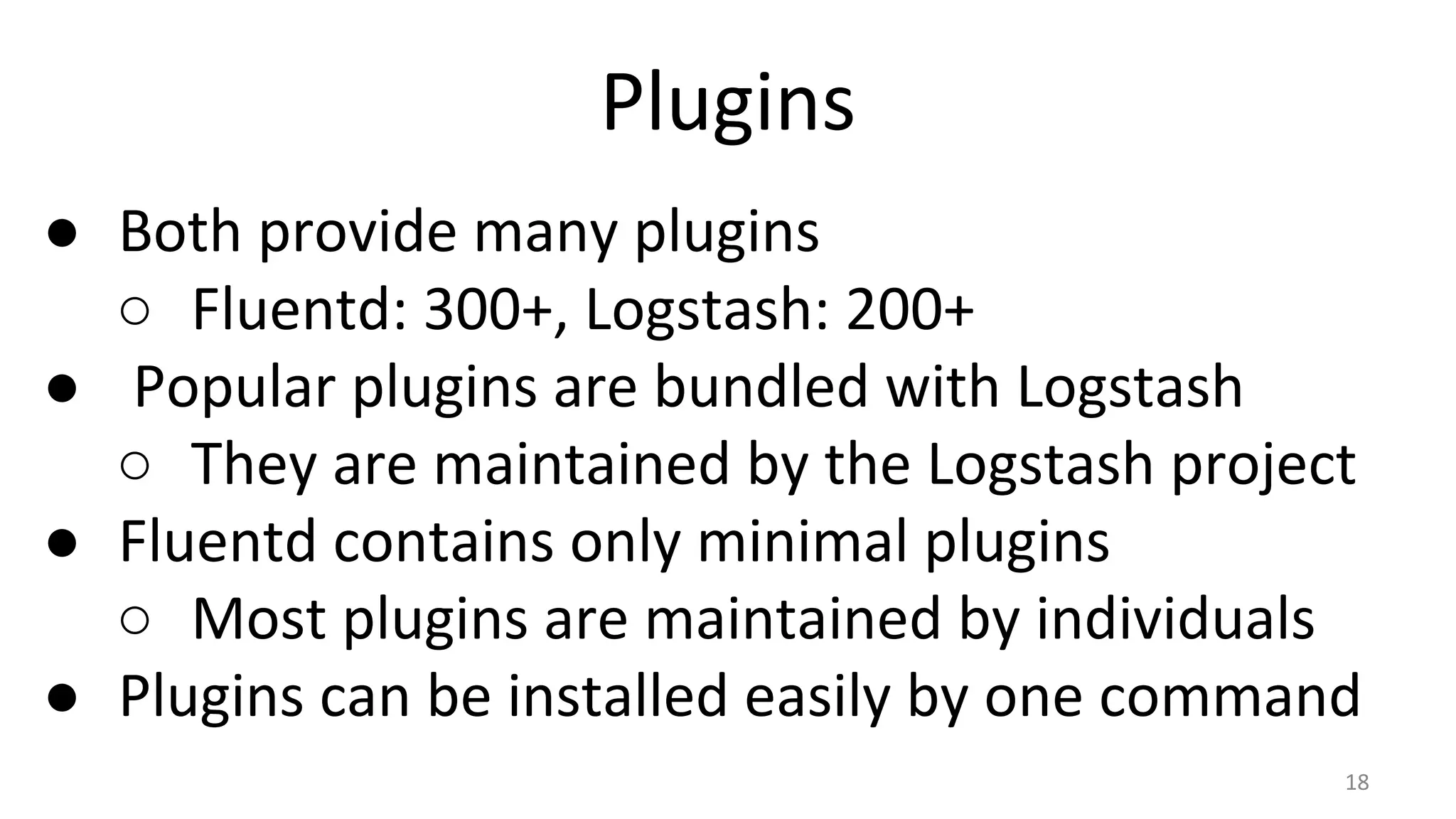
Plugins
● Both provide many plugins
○ Fluentd: 300+, Logstash: 200+
● Popular plugins are bundled with Logstash
○ They are maintained by the Logstash project
● Fluentd contains only minimal plugins
○ Most plugins are maintained by individuals
● Plugins can be installed easily by one command
18
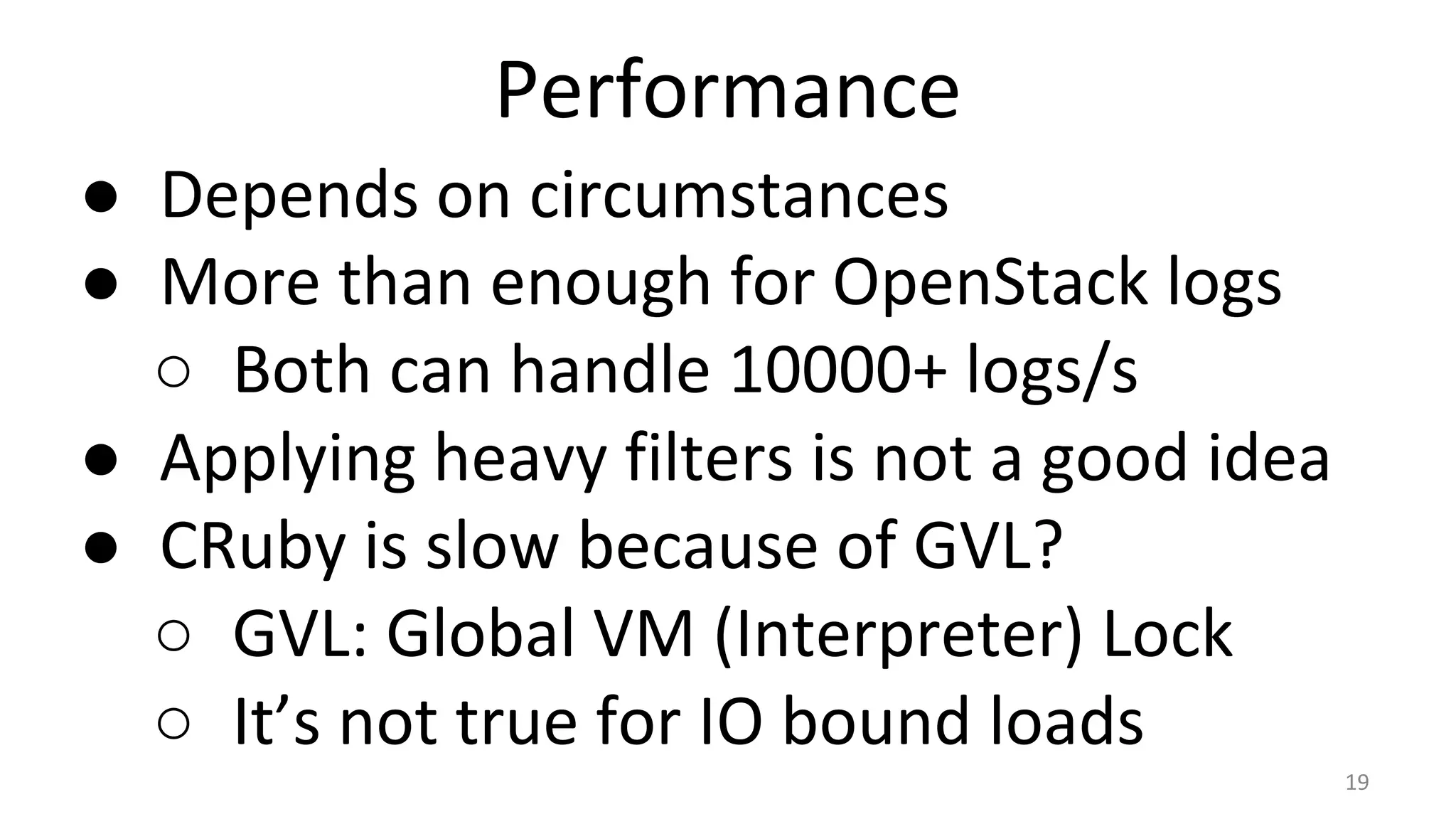
Performance
● Depends on circumstances
● More than enough for OpenStack logs
○ Both can handle 10000+ logs/s
● Applying heavy filters is not a good idea
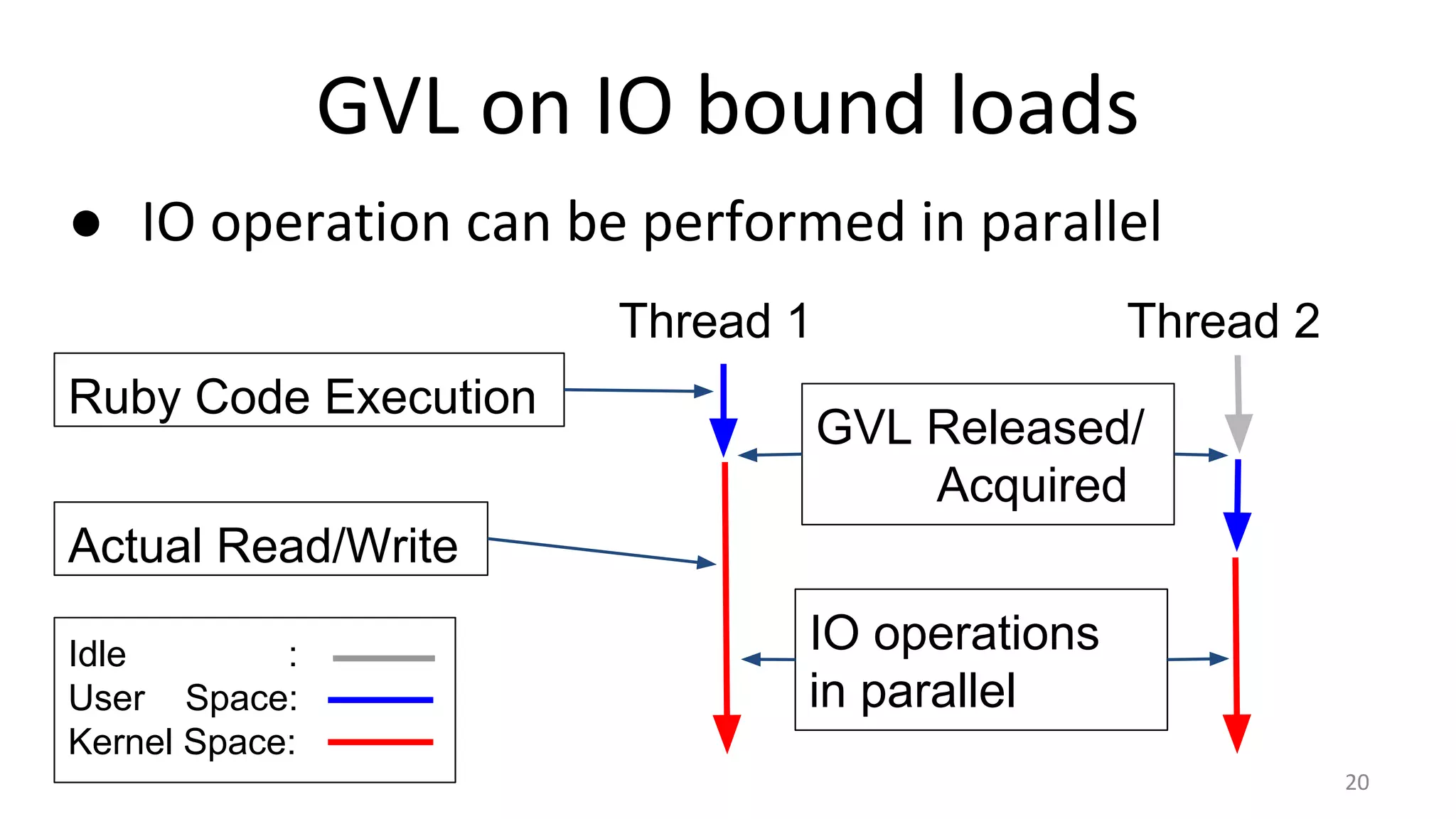
● CRuby is slow because of GVL?
○ GVL: Global VM (Interpreter) Lock
○ It’s not true for IO bound loads
19
GVL on IO bound loads
● IO operation can be performed in parallel
20
Thread 1 Thread 2
Idle :
User Space:
Kernel Space:
Actual Read/Write
Ruby Code Execution
GVL Released/
Acquired
IO operations
in parallel
Transport Protocol
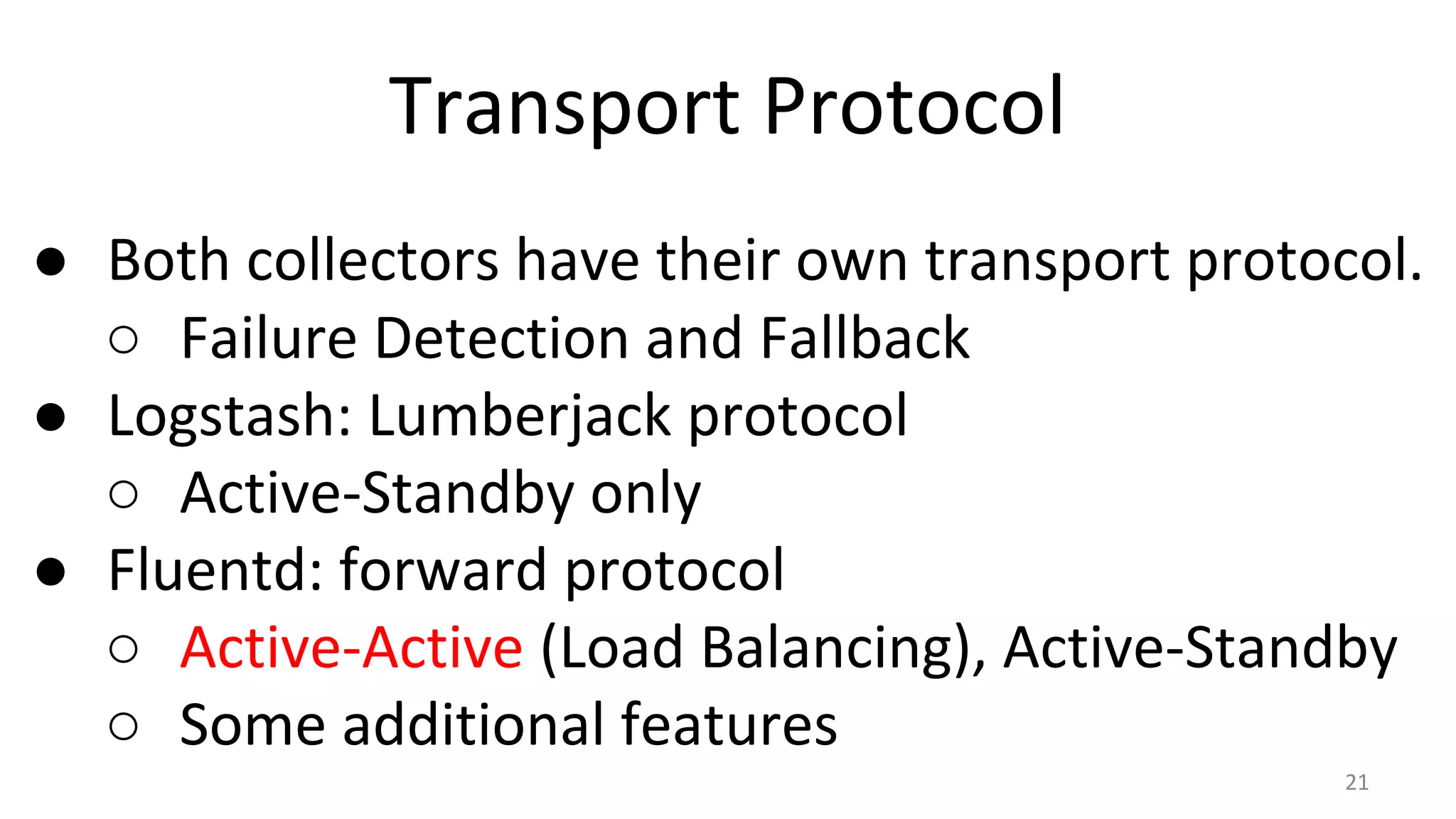
● Both collectors have their own transport protocol.
○ Failure Detection and Fallback
● Logstash: Lumberjack protocol
○ Active-Standby only
● Fluentd: forward protocol
○ Active-Active (Load Balancing), Active-Standby
○ Some additional features
21
Logstash Transport: lumberjack
● Active-Standby lumberjack { #config@source
hosts => [
“primary”,
“secondary”
]
port => 1234
ssl_certificate => …
}
primary
secondary
source
secondary is used
when primary fails
Fail
Fallback
22
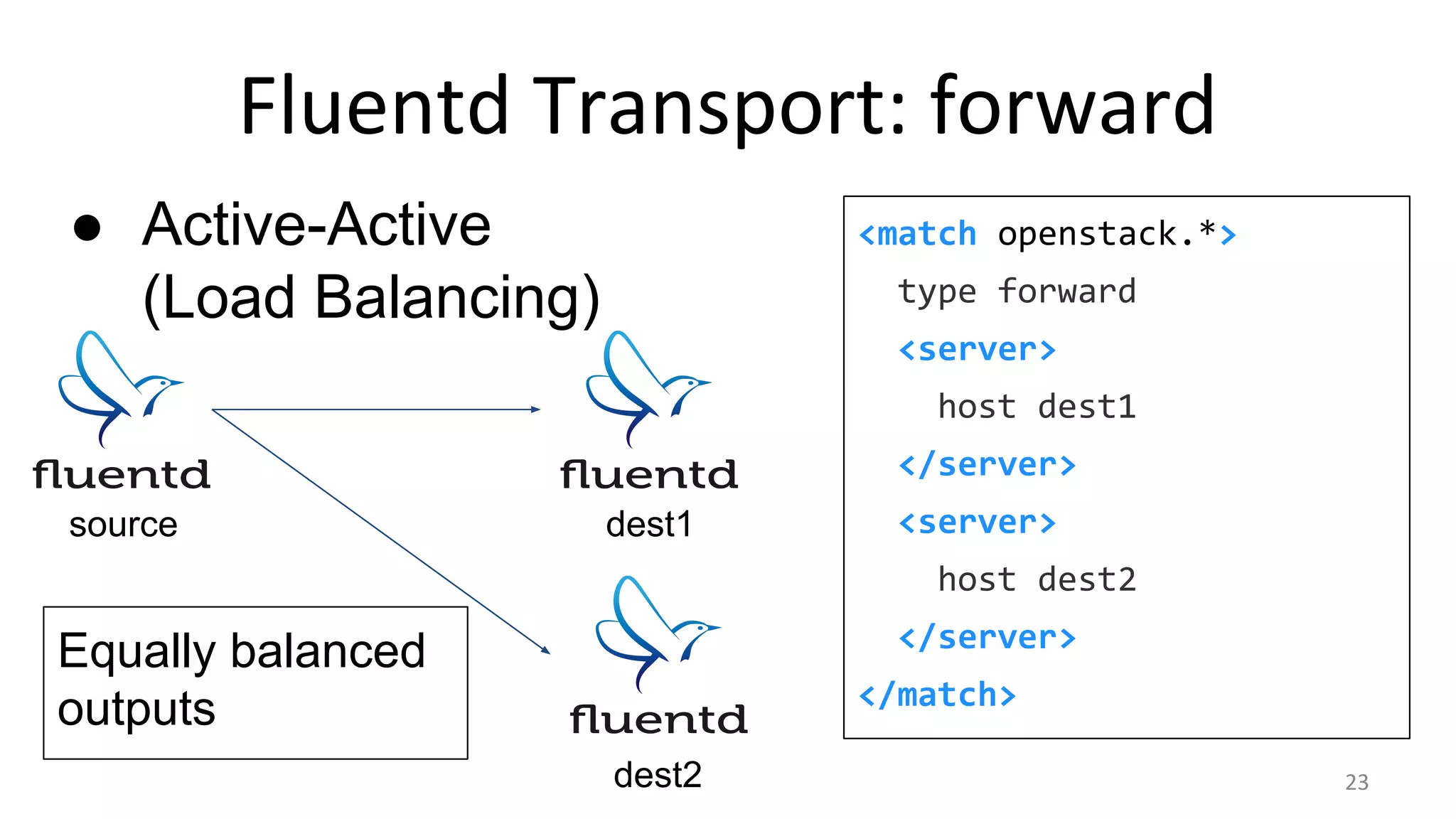
Fluentd Transport: forward
● Active-Active
(Load Balancing)
<match openstack.*>
type forward
<server>
host dest1
</server>
<server>
host dest2
</server>
</match>
source dest1
dest2
Equally balanced
outputs
23
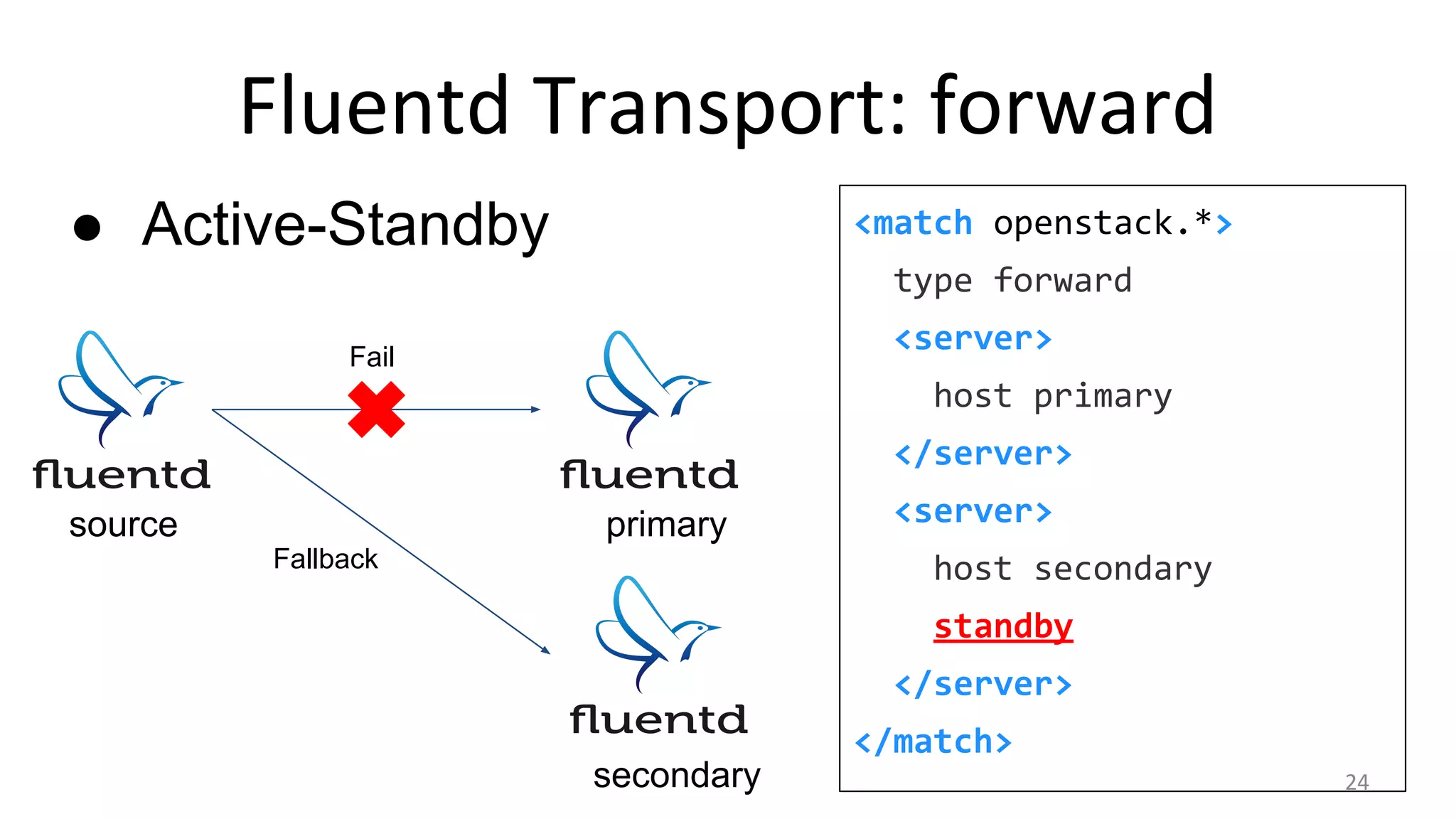
Fluentd Transport: forward
● Active-Standby <match openstack.*>
type forward
<server>
host primary
</server>
<server>
host secondary
standby
</server>
</match>
primary
secondary
source
Fail
Fallback
24
Fluentd Transport: forward
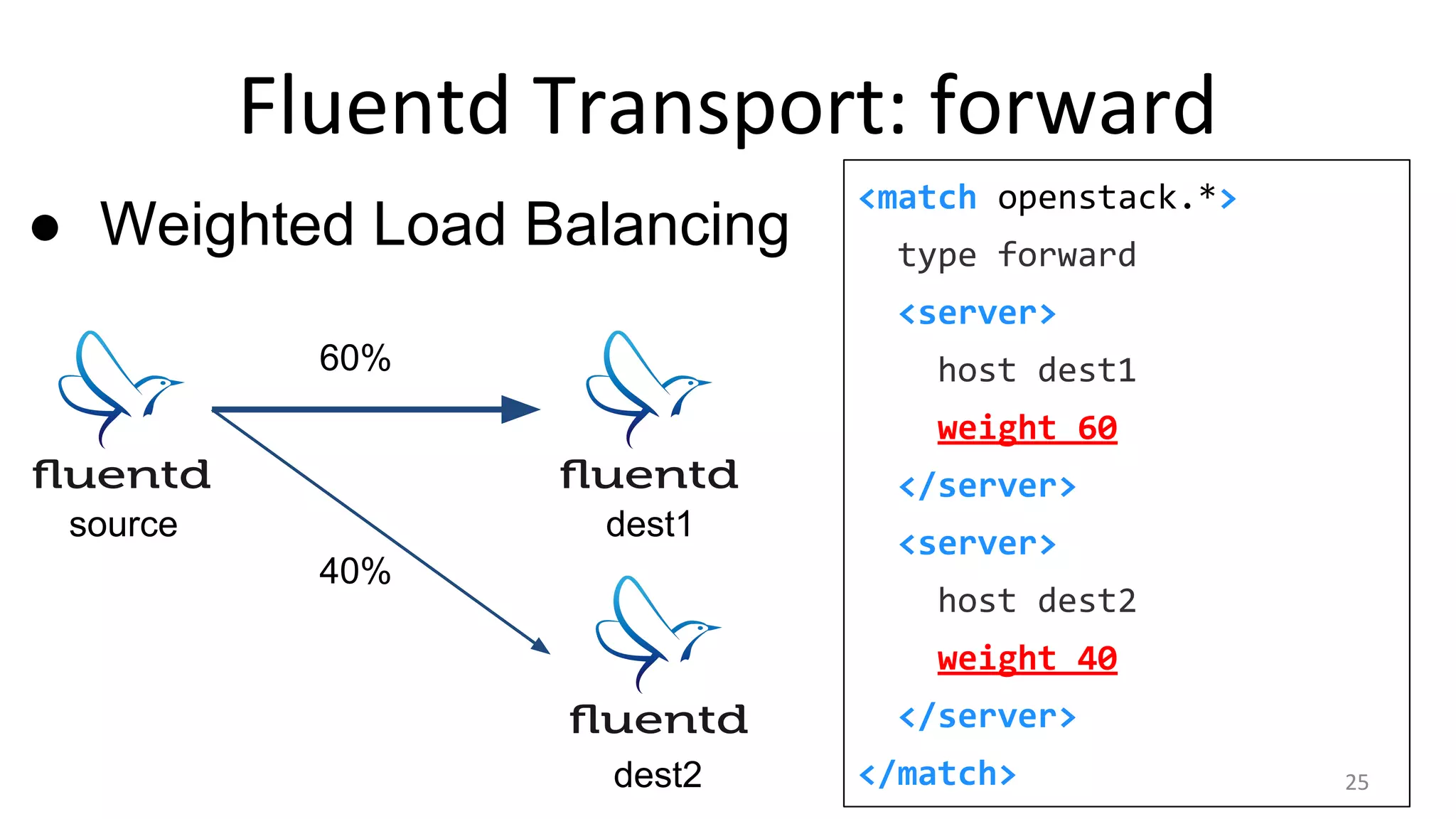
● Weighted Load Balancing
<match openstack.*>
type forward
<server>
host dest1
weight 60
</server>
<server>
host dest2
weight 40
</server>
</match>
source dest1
dest2
60%
40%
25
Fluentd Transport: forward
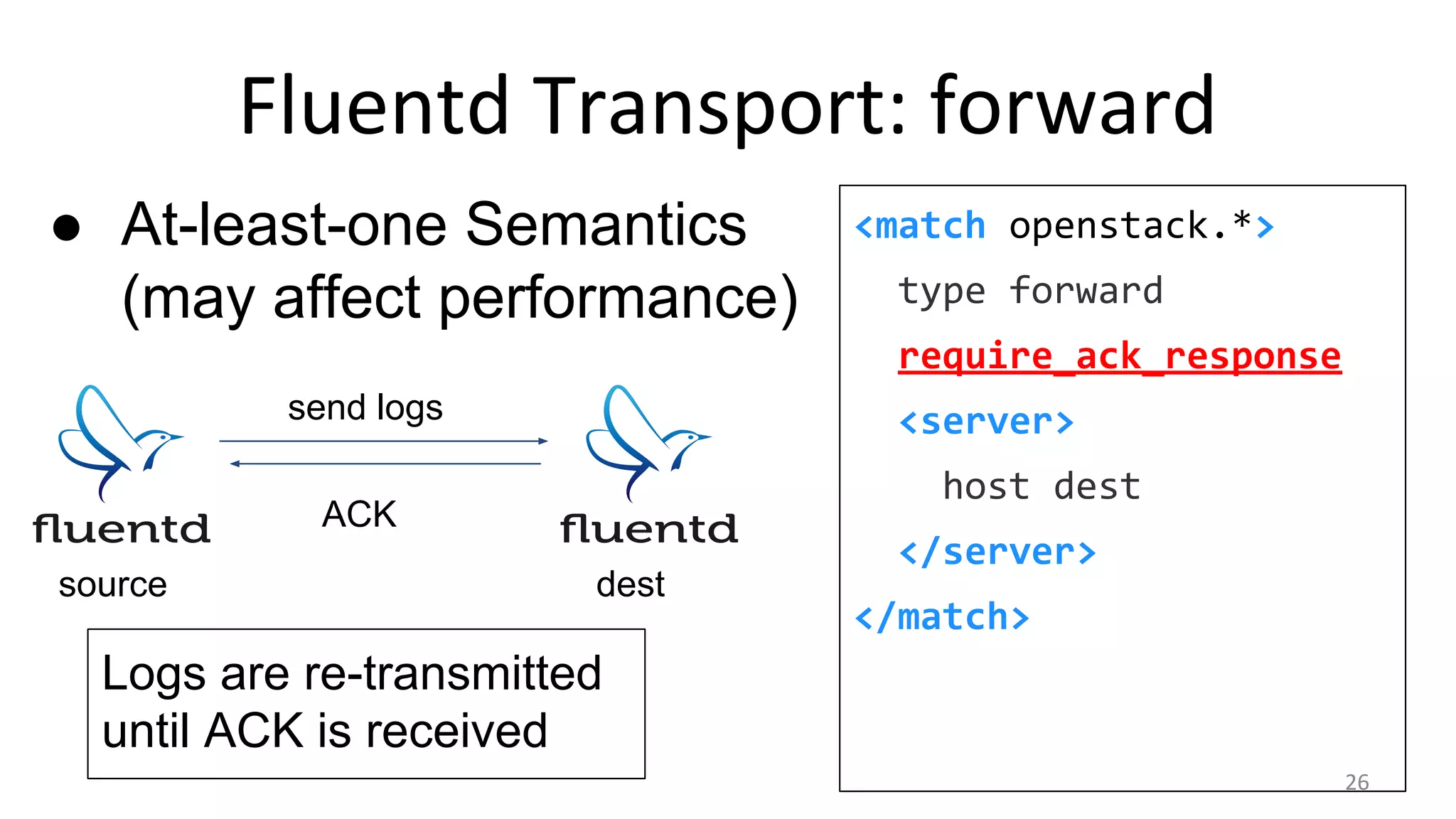
● At-least-one Semantics
(may affect performance)
<match openstack.*>
type forward
require_ack_response
<server>
host dest
</server>
</match>
destsource
send logs
ACK
Logs are re-transmitted
until ACK is received
26
Transport Protocol
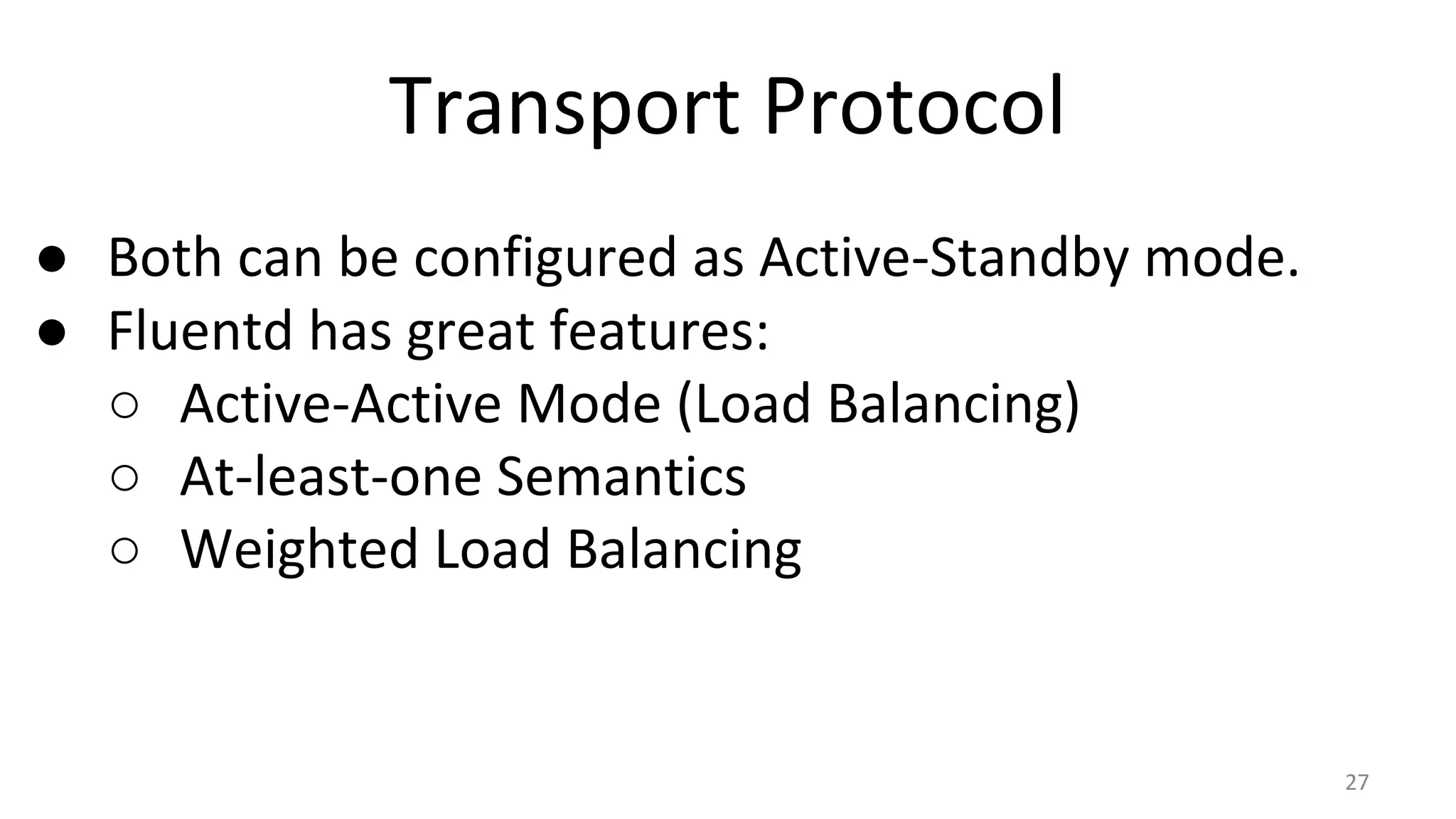
● Both can be configured as Active-Standby mode.
● Fluentd has great features:
○ Active-Active Mode (Load Balancing)
○ At-least-one Semantics
○ Weighted Load Balancing
27
Forwarders
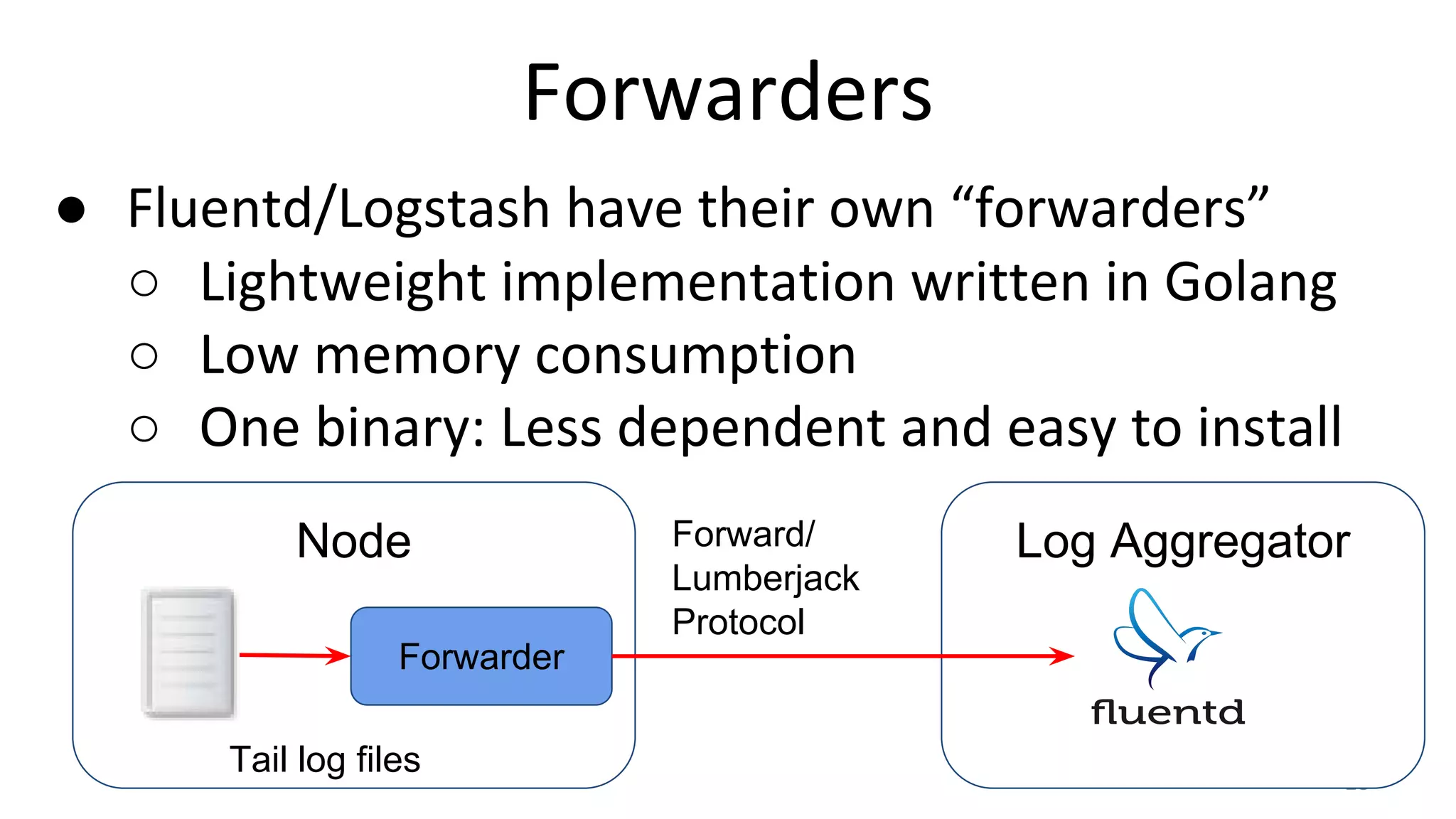
● Fluentd/Logstash have their own “forwarders”
○ Lightweight implementation written in Golang
○ Low memory consumption
○ One binary: Less dependent and easy to install
28
Node
Tail log files
Forwarder
Log AggregatorForward/
Lumberjack
Protocol
Forwarders: Config Example
fluentd-forwarder:
[fluentd-forwarder]
to = fluent://fluentd1:24224
to = fluent://fluentd2:24224
logstash-forwarder:
"network": {
"servers": [
"logstash1:5043",
"logstash2:5043"
]
}Always send logs to both servers.
Pick one active server and send logs only to it.
Fallback to another server on failure. 29
Integration with OpenStack
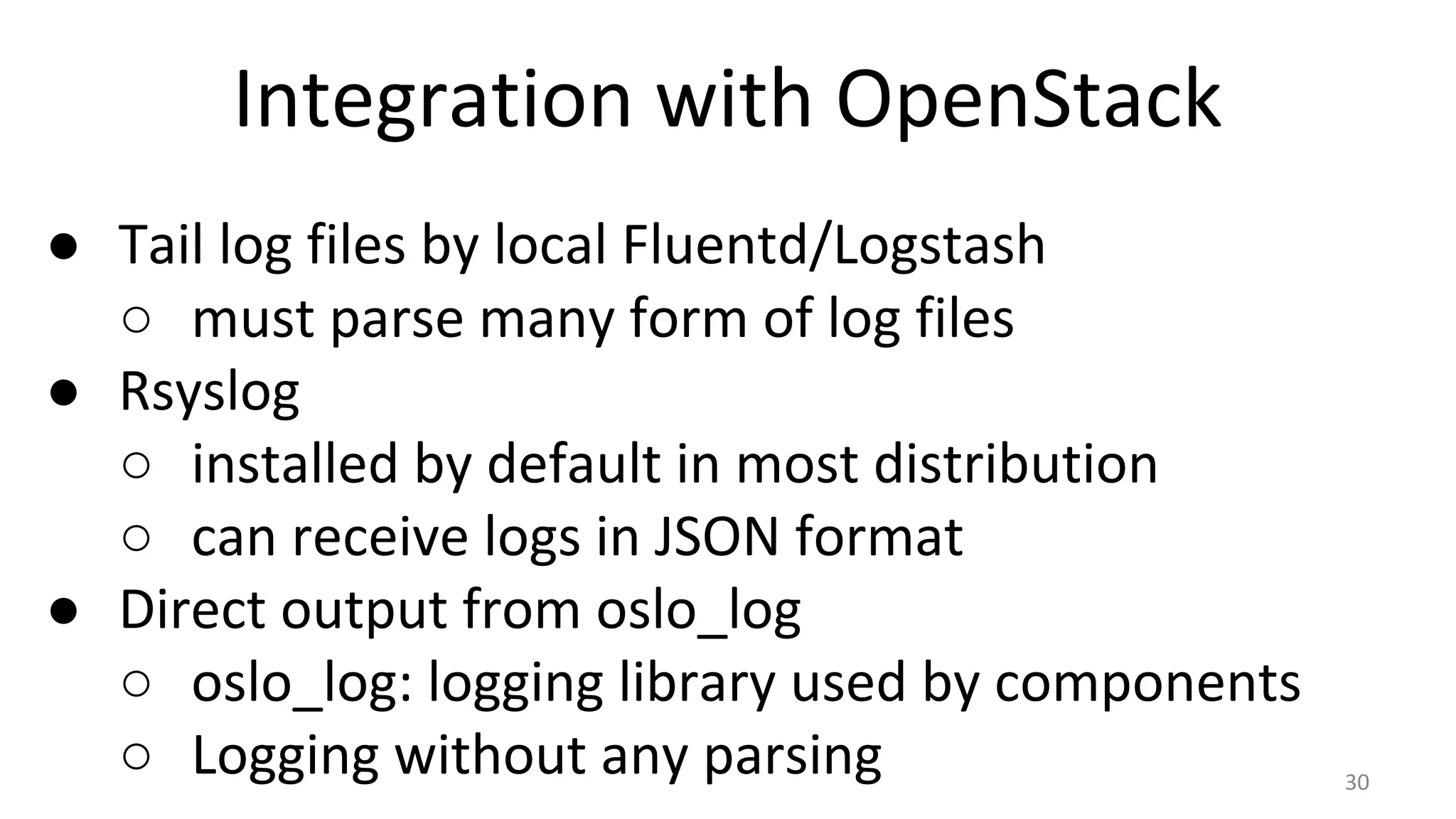
● Tail log files by local Fluentd/Logstash
○ must parse many form of log files
● Rsyslog
○ installed by default in most distribution
○ can receive logs in JSON format
● Direct output from oslo_log
○ oslo_log: logging library used by components
○ Logging without any parsing 30
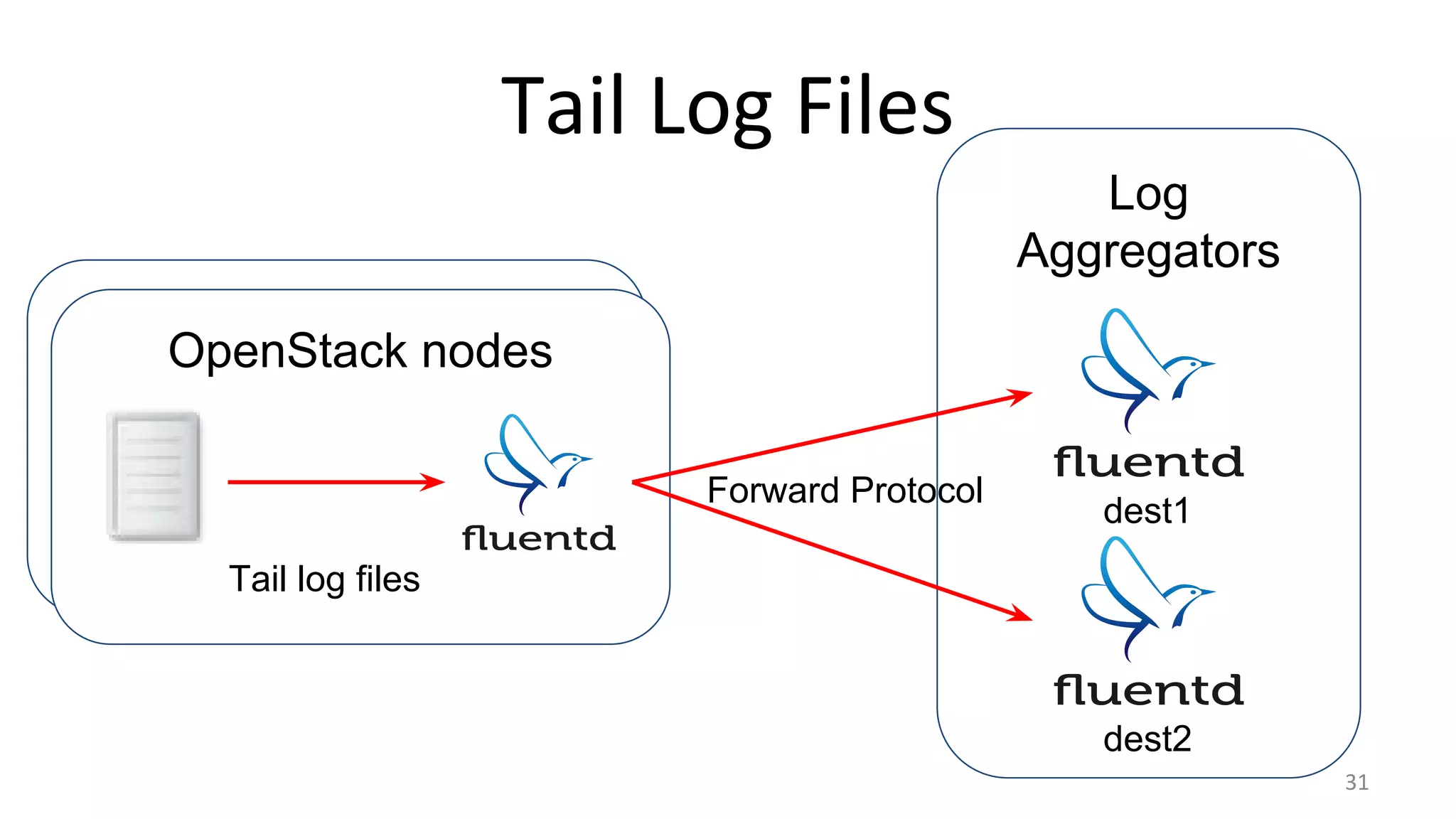
Log
Aggregators
OpenStack nodes
Tail Log Files
31
Tail log files
Forward Protocol
dest1
dest2
Tail Log Files
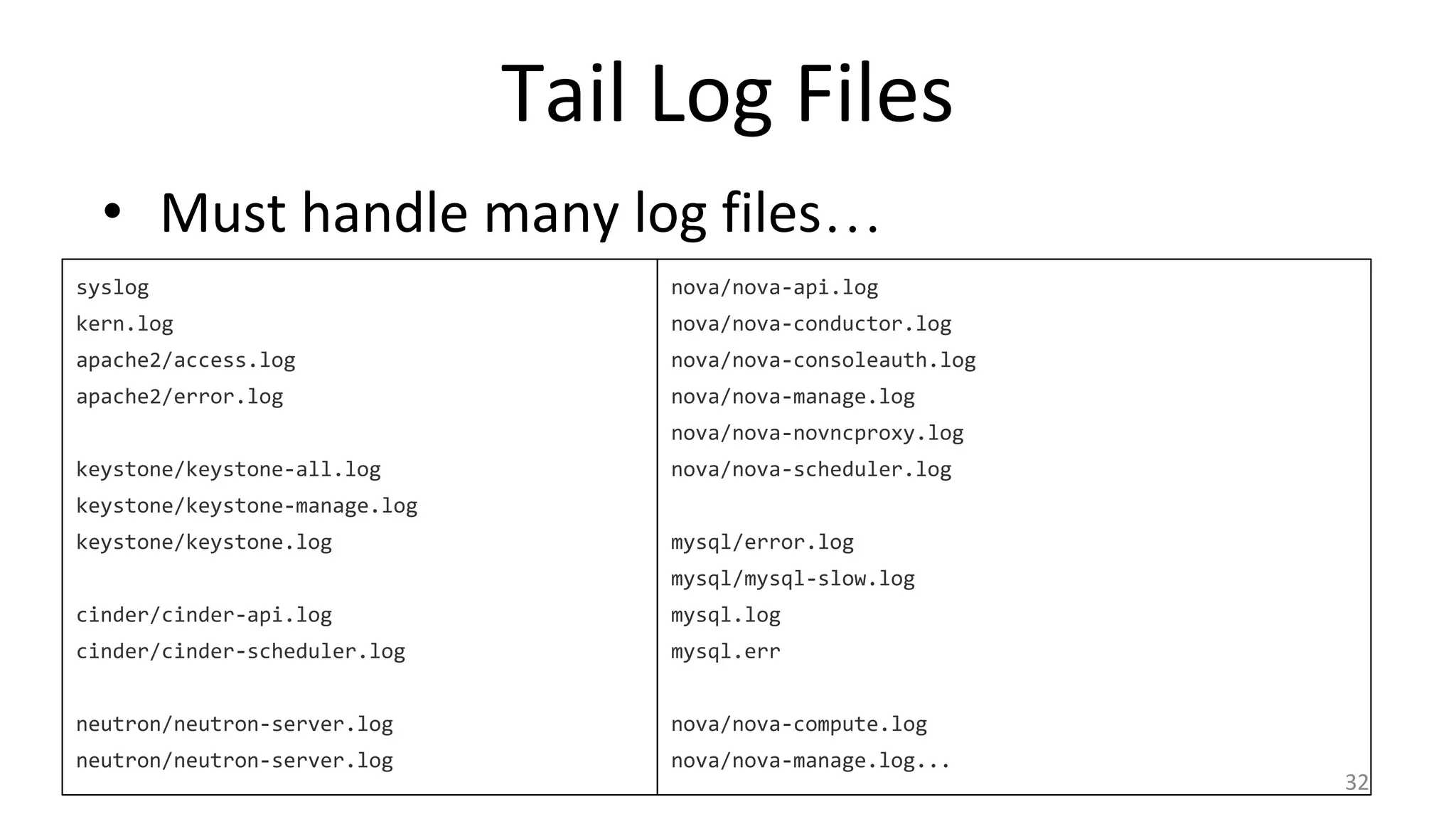
• Must handle many log files…
syslog
kern.log
apache2/access.log
apache2/error.log
keystone/keystone-all.log
keystone/keystone-manage.log
keystone/keystone.log
cinder/cinder-api.log
cinder/cinder-scheduler.log
neutron/neutron-server.log
nova/nova-api.log
nova/nova-conductor.log
nova/nova-consoleauth.log
nova/nova-manage.log
nova/nova-novncproxy.log
nova/nova-scheduler.log
mysql/error.log
mysql/mysql-slow.log
mysql.log
mysql.err
nova/nova-compute.log
nova/nova-manage.log...
32
Tail Log Files
• But you can use wildcard
Fluentd:
<source>
type tail
path /var/log/nova/*.log
tag openstack.nova
</source>
Logstash:
input {
file {
path => [“/var/log/nova/*.log”]
}
}
33
Parse Text Log
● Welcome to regular expression hell!
<source>
type tail # or syslog
path /var/log/nova/nova-api.log
format /^(?<asctime>.+) (?<process>d+) (?<loglevel>w+) (?
<objname>S+)( [(-|(?<request_id>.+?) (?<user_identity>.+))])?
((?<remote>S*) "(?<method>S+) (?<path>[^"]*) S*?" status: (?
<code>d*) len: (?<size>d*) time: (?<res_time>S)|(?<message>.
*))/
</source>
34
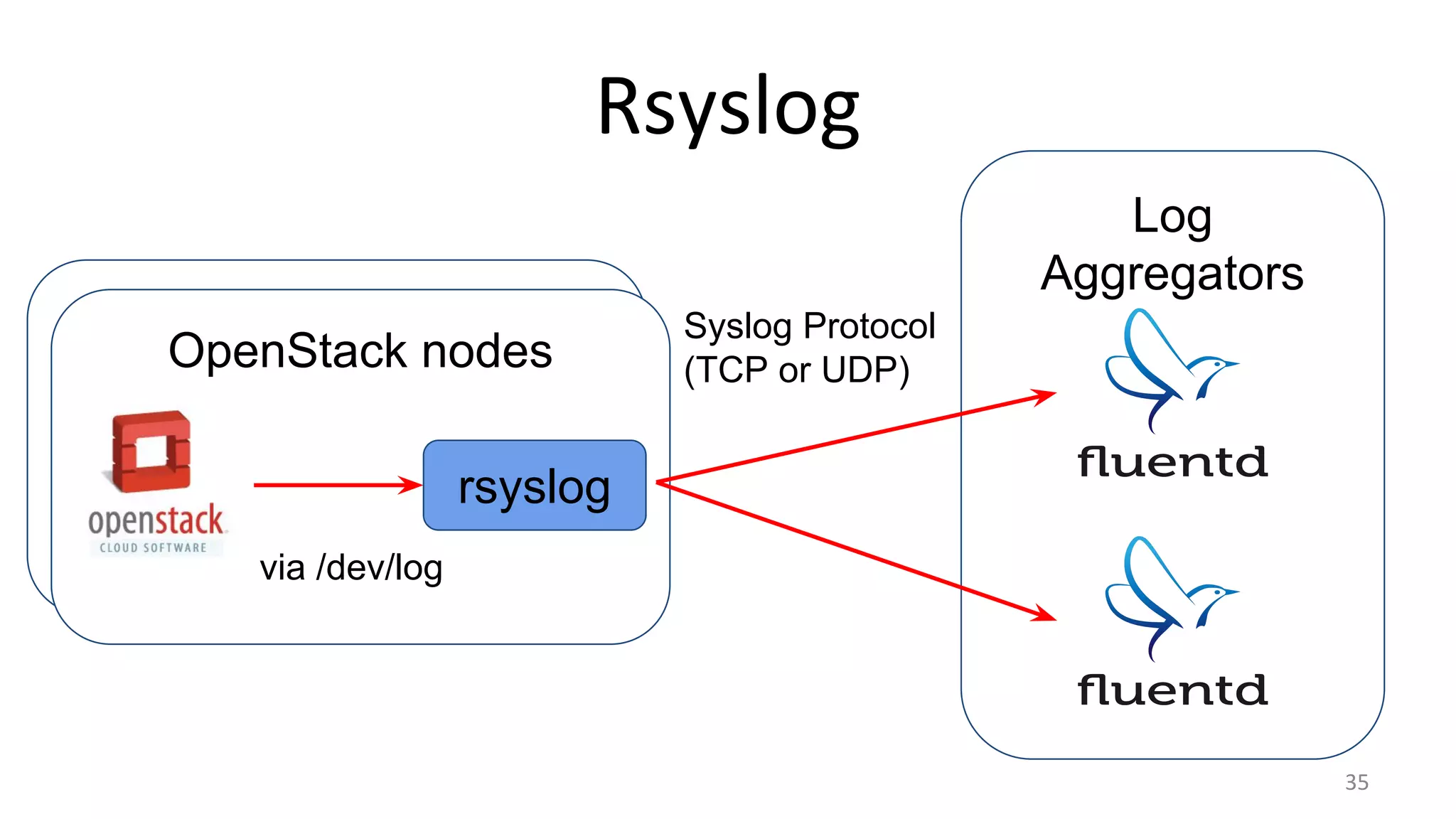
Log
Aggregators
OpenStack nodes
Rsyslog
35
via /dev/log
Syslog Protocol
(TCP or UDP)
rsyslog
Rsyslog: Logging.conf
● Logging Configuration in detail
● Handler: Syslog, Formatter: JSON
# /etc/{nova,cinder…}/logging.conf
[handler_syslog]
class = handlers.SysLogHandler
args = ('/dev/log', handlers.SysLogHandler.LOG_LOCAL1)
formatter = json
[formatter_json]
class = oslo_log.formatters.JSONFormatter 36
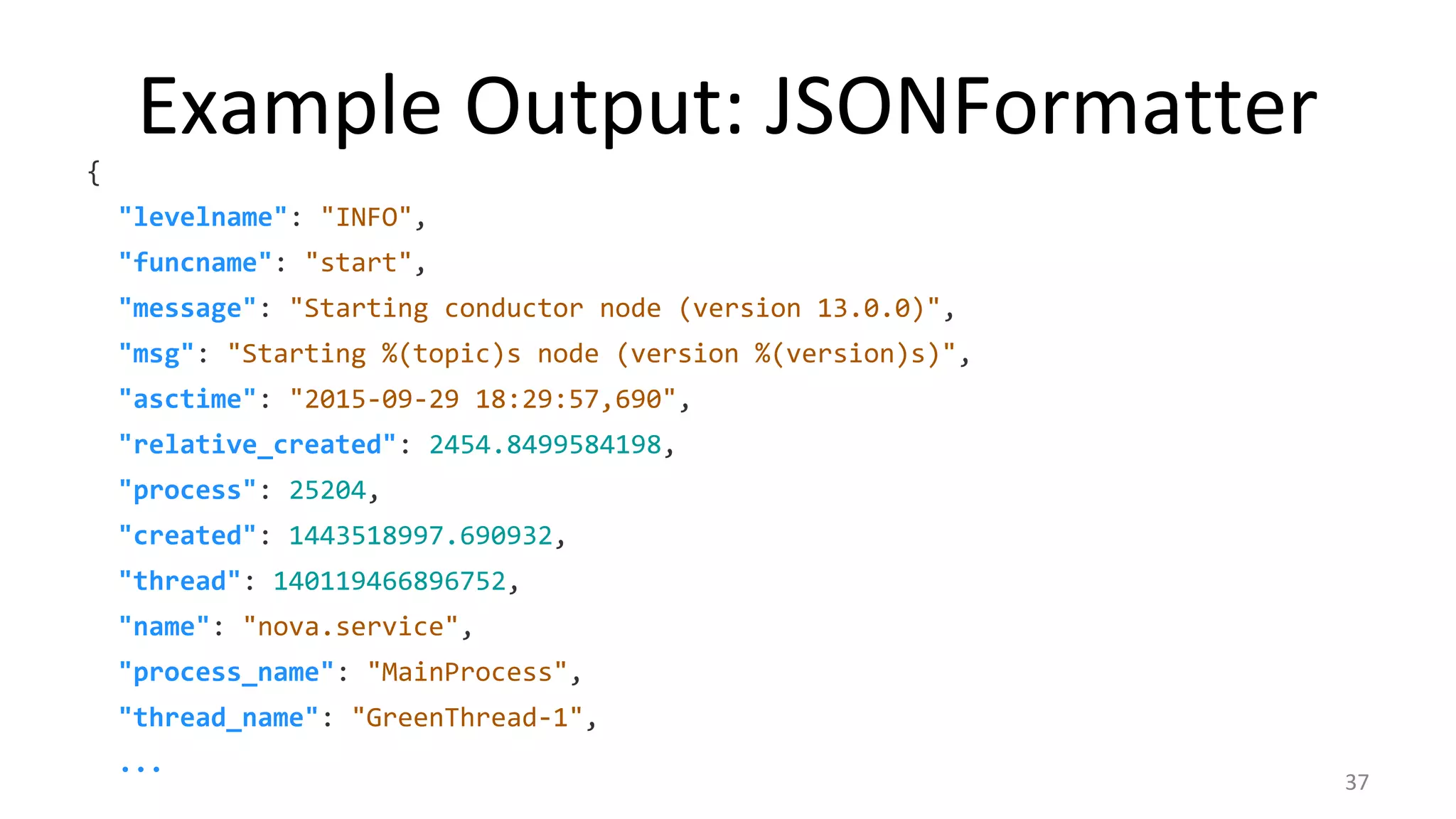
Example Output: JSONFormatter
{
"levelname": "INFO",
"funcname": "start",
"message": "Starting conductor node (version 13.0.0)",
"msg": "Starting %(topic)s node (version %(version)s)",
"asctime": "2015-09-29 18:29:57,690",
"relative_created": 2454.8499584198,
"process": 25204,
"created": 1443518997.690932,
"thread": 140119466896752,
"name": "nova.service",
"process_name": "MainProcess",
"thread_name": "GreenThread-1",
...
37
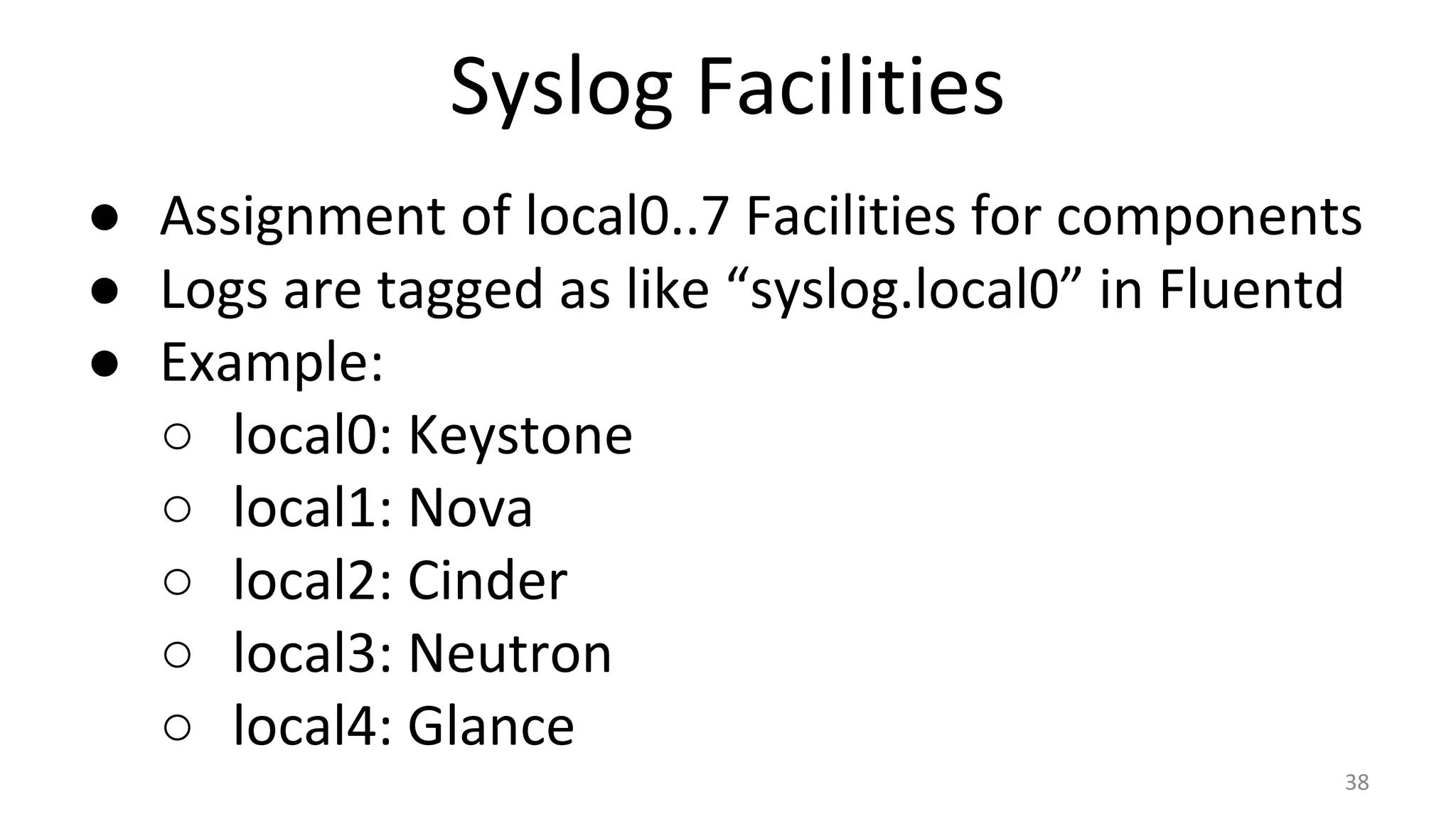
Syslog Facilities
● Assignment of local0..7 Facilities for components
● Logs are tagged as like “syslog.local0” in Fluentd
● Example:
○ local0: Keystone
○ local1: Nova
○ local2: Cinder
○ local3: Neutron
○ local4: Glance
38
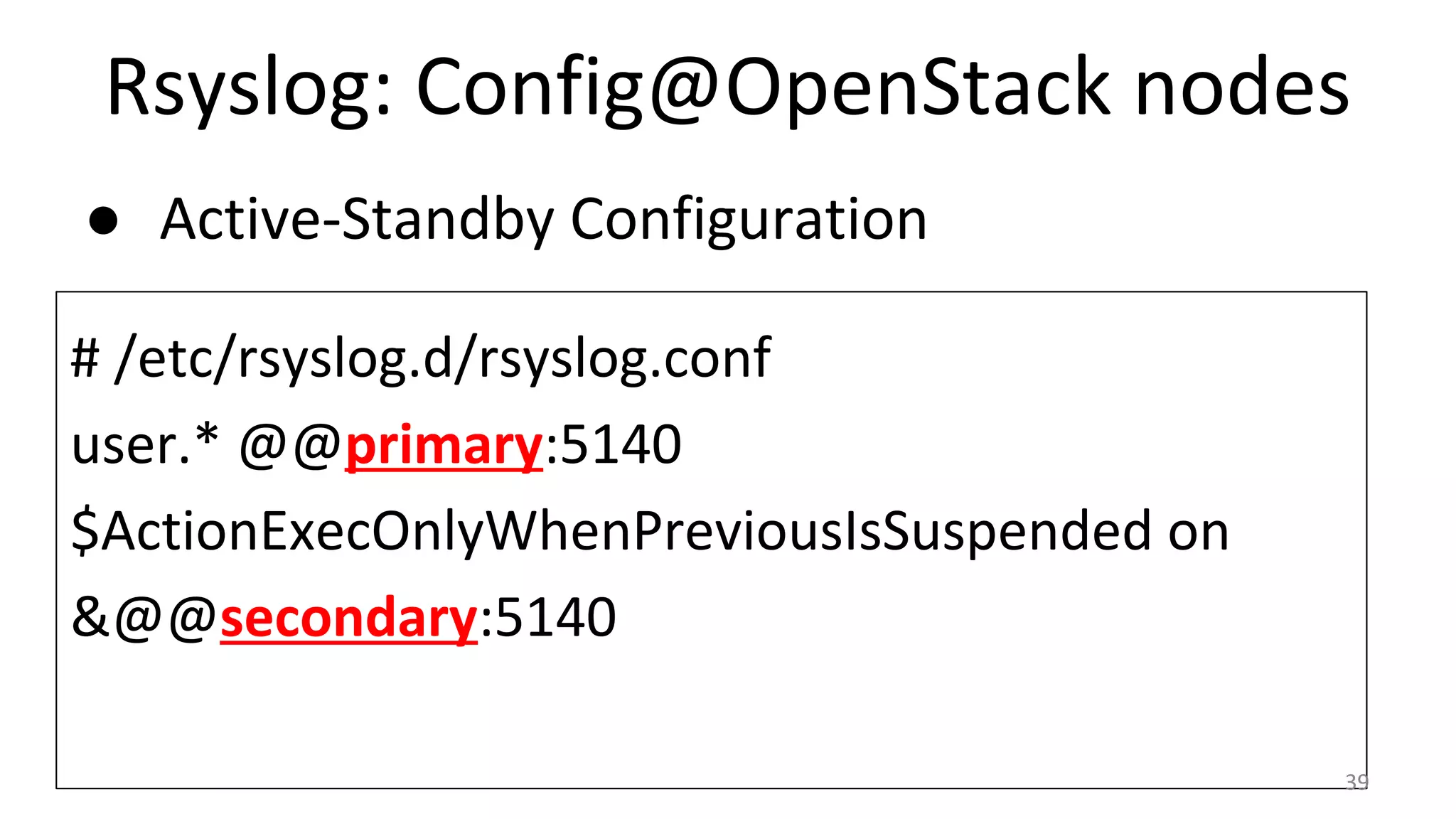
Rsyslog: Config@OpenStack nodes
● Active-Standby Configuration
# /etc/rsyslog.d/rsyslog.conf
user.* @@primary:5140
$ActionExecOnlyWhenPreviousIsSuspended on
&@@secondary:5140
39
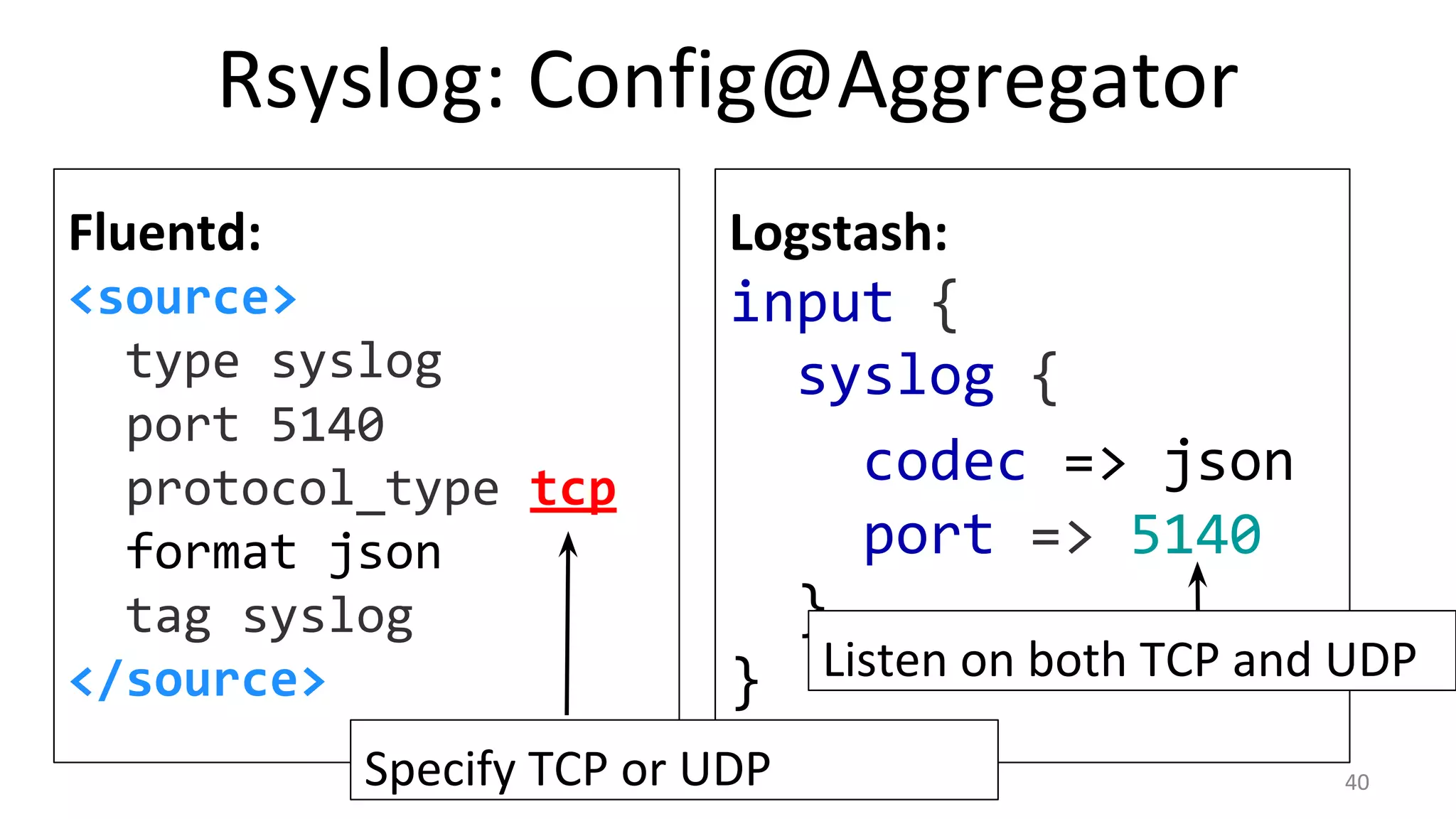
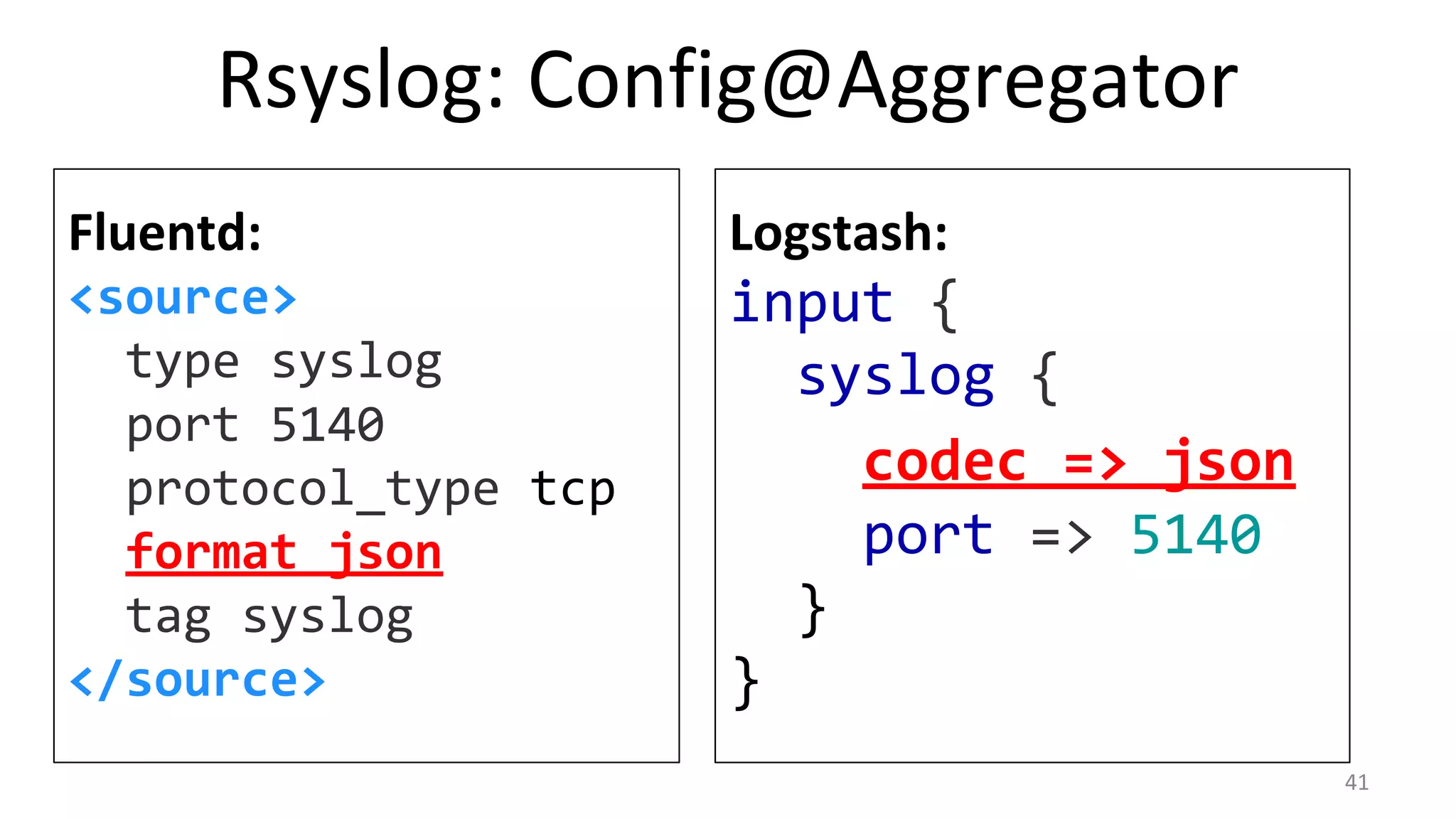
Rsyslog: Config@Aggregator
Fluentd:
<source>
type syslog
port 5140
protocol_type tcp
format json
tag syslog
</source>
Logstash:
input {
syslog {
codec => json
port => 5140
}
} Listen on both TCP and UDP
Specify TCP or UDP 40
Rsyslog: Config@Aggregator
Fluentd:
<source>
type syslog
port 5140
protocol_type tcp
format json
tag syslog
</source>
Logstash:
input {
syslog {
codec => json
port => 5140
}
}
41
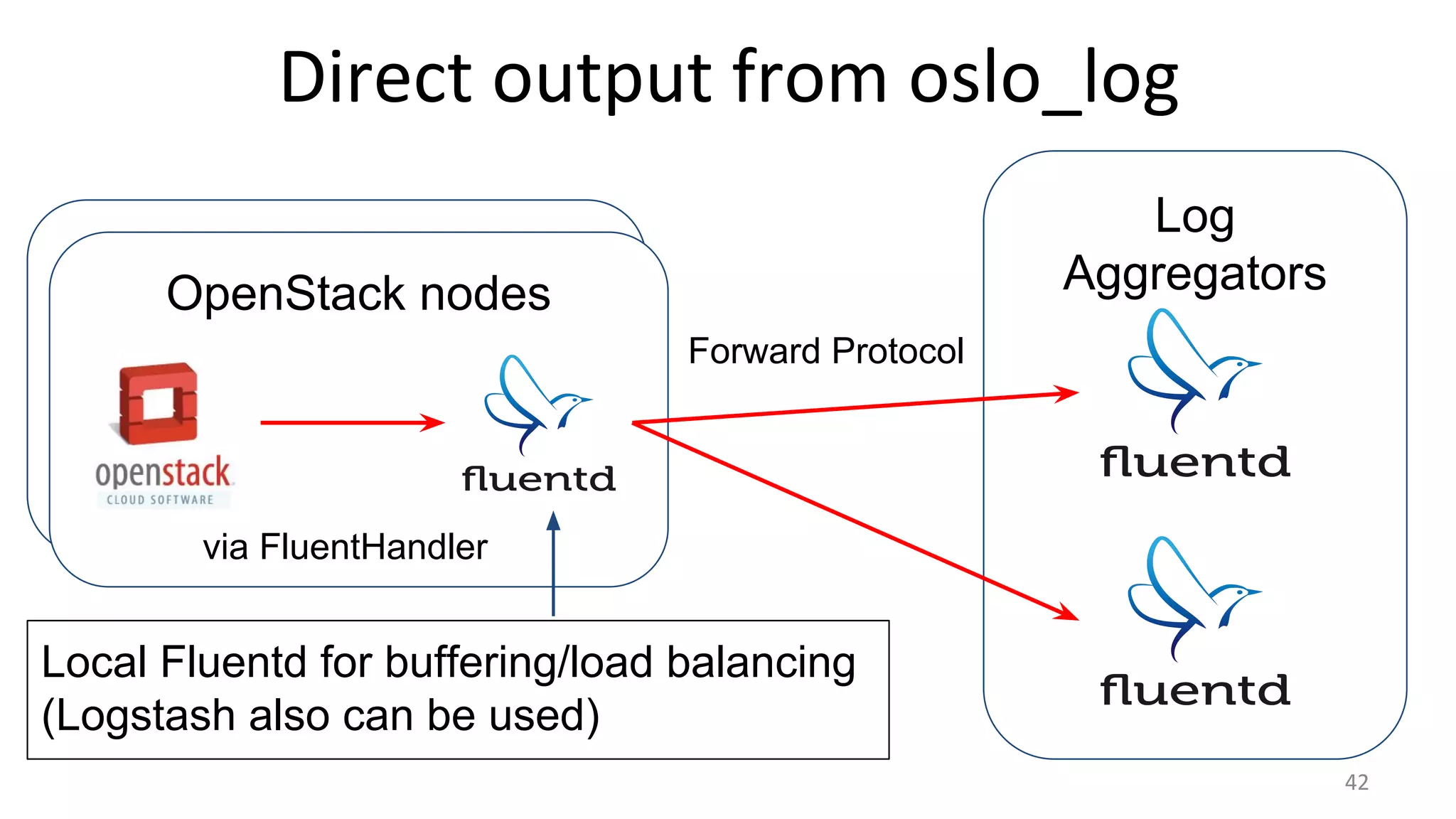
Log
AggregatorsOpenStack nodes
42
via FluentHandler
Forward Protocol
Direct output from oslo_log
Local Fluentd for buffering/load balancing
(Logstash also can be used)
Direct output from oslo_log
# logging.conf:
[handler_fluent]
class = fluent.handler.FluentHandler # fluent-logger
formatter = fluent
args = (’openstack.nova', 'localhost', 24224)
[formatter_fluent]
class = fluent.handler.FluentFormatter # our Blueprint
43
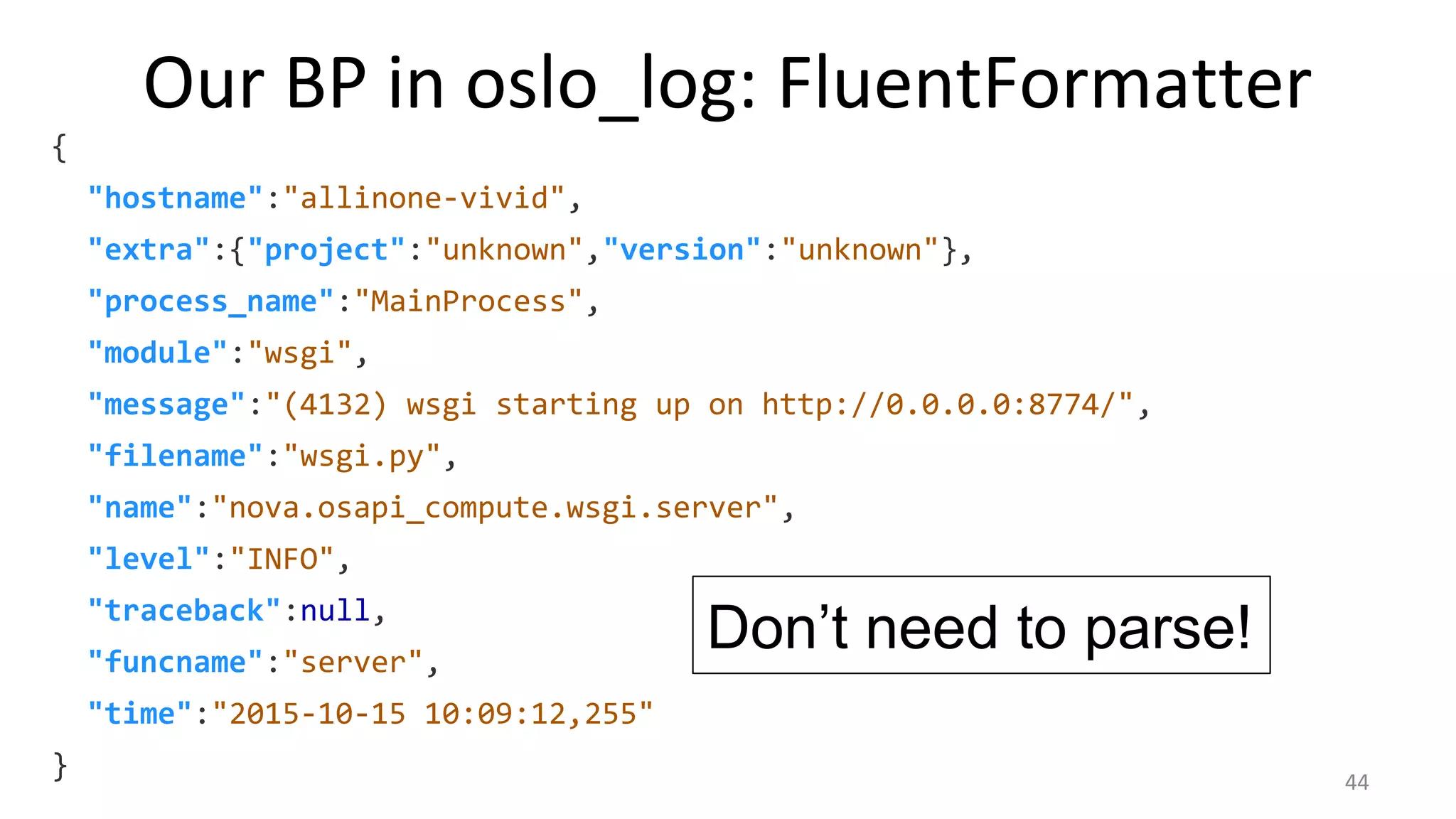
Format logs as Dictionary
Our BP in oslo_log: FluentFormatter
{
"hostname":"allinone-vivid",
"extra":{"project":"unknown","version":"unknown"},
"process_name":"MainProcess",
"module":"wsgi",
"message":"(4132) wsgi starting up on http://0.0.0.0:8774/",
"filename":"wsgi.py",
"name":"nova.osapi_compute.wsgi.server",
"level":"INFO",
"traceback":null,
"funcname":"server",
"time":"2015-10-15 10:09:12,255"
}
Don’t need to parse!
44
Conclusion
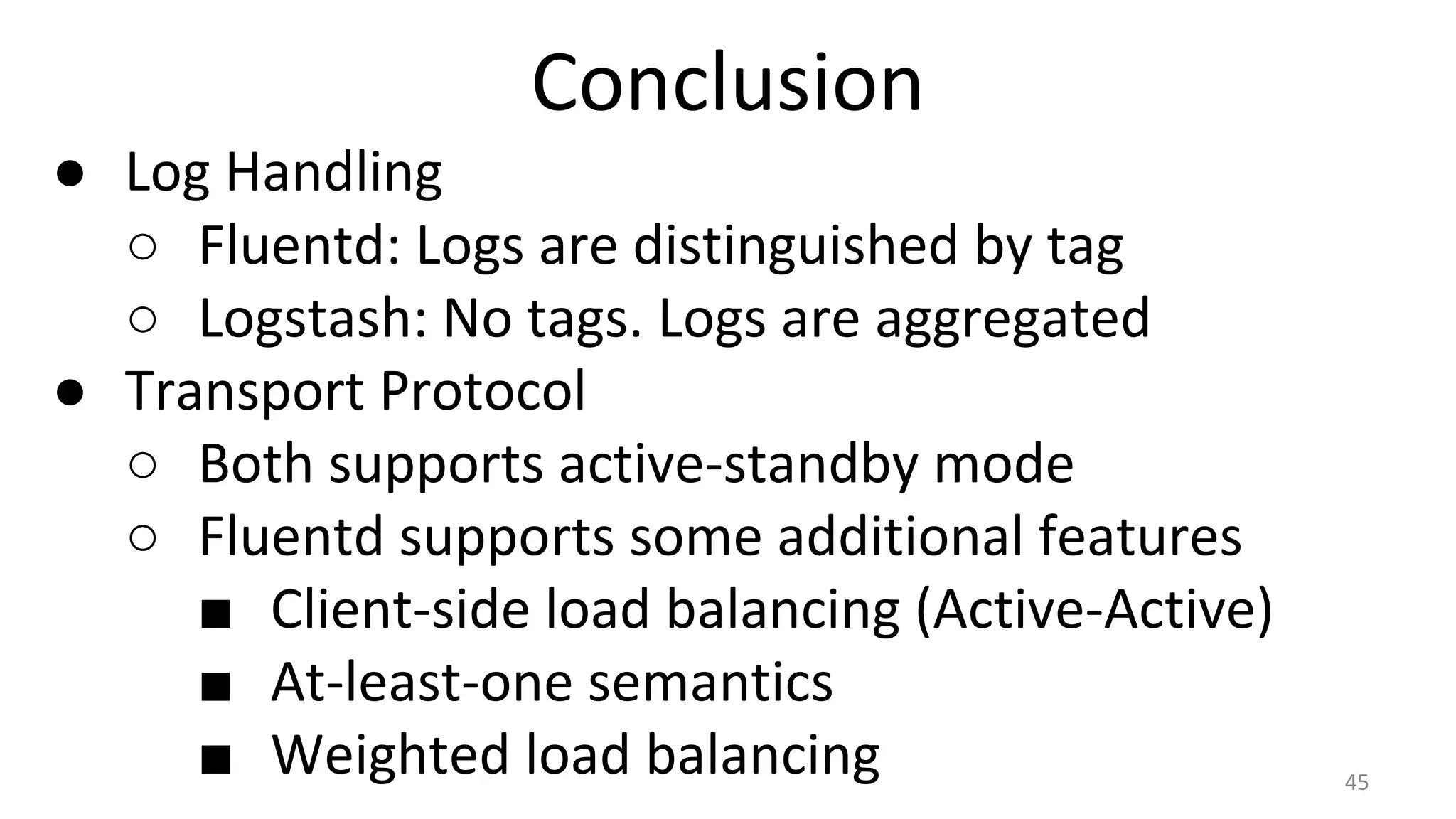
● Log Handling
○ Fluentd: Logs are distinguished by tag
○ Logstash: No tags. Logs are aggregated
● Transport Protocol
○ Both supports active-standby mode
○ Fluentd supports some additional features
■ Client-side load balancing (Active-Active)
■ At-least-one semantics
■ Weighted load balancing 45
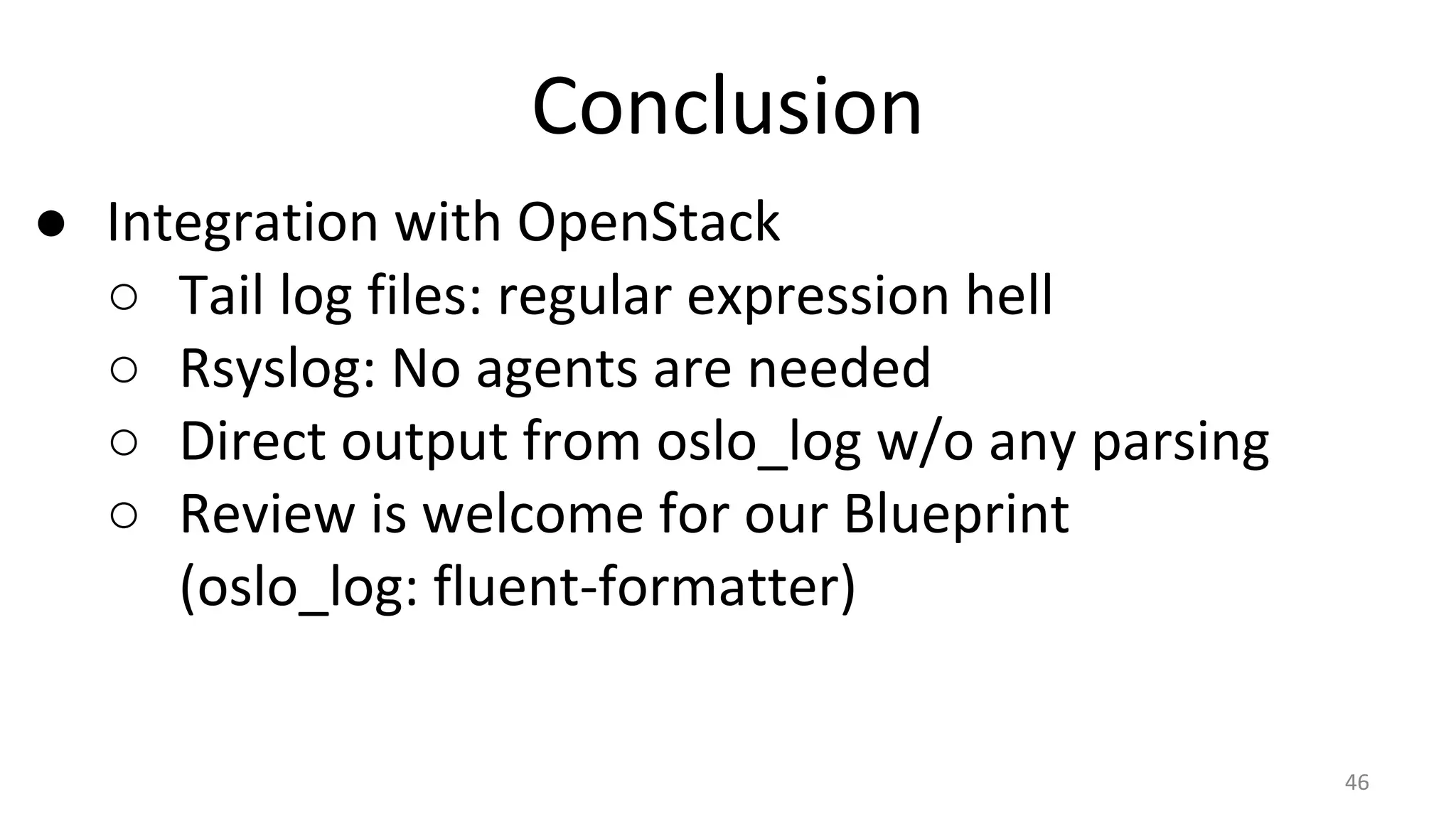
Conclusion
● Integration with OpenStack
○ Tail log files: regular expression hell
○ Rsyslog: No agents are needed
○ Direct output from oslo_log w/o any parsing
○ Review is welcome for our Blueprint
(oslo_log: fluent-formatter)
46
Thank you!
Please visit our booth!
Robot Racing over WebRTC! →

Fluentd vs. Logstash for OpenStack Log Management

  • 1.
    Fluentd vs. Logstash MasakiMatsushita NTT Communications
  • 2.
    About Me ● MasakiMATSUSHITA ● Software Engineer at ○ We are providing Internet access here! ● Github: mmasaki Twitter: @_mmasaki ● 16 Commits in Liberty ○ Trove, oslo_log, oslo_config ● CRuby Commiter ○ 100+ commits for performance improvement 2
  • 3.
    What are LogCollectors? ● Provide pluggable and unified logging layer Without Log Collectors With Log Collectors Images from http://fluentd.org/ 3
  • 4.
    Input, Filter andOutput 4 Input Plugins tail syslog Filter Plugins grep hostname Output Plugins InfluxDB Elasticsearch ● They are implemented as plugins ● Can be replaced easily Log FIles Components
  • 5.
    Two Popular LogCollectors ● Fluentd ○ Written in CRuby ○ Used in Kubernetes ○ Maintained by Treasure Data Inc. ● Logstash ○ Written in JRuby ○ Maintained by elastic.co ● They have similar features ● Which one is better for you? 5
  • 6.
    Agenda ● Comparisons ○ Configuration ○Supported Plugins ○ Performance ○ Transport Protocol ● Integrate OpenStack with Fluentd/Logstash ○ Considering High Availability 6
  • 7.
    Configuration: Fluentd ● Everyinputs are tagged ● Logs will be routed by tag nova-api.log (tag: openstack.nova) cinder-api.log (tag: openstack.cinder) <match openstack.nova> <match openstack.cinder> Filter/Route 7
  • 8.
    Fluentd Configuration: Input <source> @typetail path /var/log/nova/nova-api.log tag openstack.nova </source> Example of tailing nova-api log ● Every inputs will be tagged 8
  • 9.
    Fluentd Configuration: Output <matchopenstack.nova> # nova related logs @type elasticsearch host example.com </match> <match openstack.*> # all other OpenStack related logs @type influxdb # … </match> Routed by tag (First match is priority) Wildcards can be used 9
  • 10.
    Fluentd Configuration: Copy <matchopenstack.*> @type copy <store> @type influxdb </store> <store> @type elasticsearch </store> </match> Copy plugin enables multiple outputs for a tag Copied Output tag: openstack.* 10
  • 11.
    Logstash Configuration ● Notags ● All inputs will be aggregated ● Logs will be scattered to outputs nova-api.log cinder-api.log Filter/Aggregate aggregated logs 11
  • 12.
    Logstash Configuration input { file{ path => “/var/log/nova/*.log” } file { path => “/var/log/cinder/*.log” } } output { elasticsearch { hosts => [“example.com”] } influxdb { host => “example.com”... } } 12
  • 13.
    Case 1: SeparatedStreams Input1 Input2 Input3 Output2 Output3 Output1 ● Handle multiple streams separately 13
  • 14.
    Case 1: SeparatedStreams Fluentd: Simple matching by tag <match input.input1> @type output1 </match> <match input.input2> @type output2 </match> <match input.input3> @type output3 </match> Logstash: Conditional Outputs output { if [type] == “input1” { output1 {} } else if [type] == “input2” { output2 {} } else if [type] == “input3” { output3 {} } } Need to split aggregated logs 14
  • 15.
    Case 2: AggregatedStreams Input1 Input2 Input3 Output2 Output3 Output1 ● Streams will be aggregated and scattered 15
  • 16.
    Case 2: AggregatedStreams Fluentd: Copy plugins is needed <match input.*> @type copy <store> @type output1 </store> <store> @type output2 </store> <store> @type output3 </store> </match> Logstash: Quite simple output { output1 {} output2 {} output3 {} } 16
  • 17.
    Configuration ● Fluentd ○ Routedby simple tag matching ○ Suited to handle log streams separately ● Logstash ○ Logs are aggregated ○ Suited to handle logs in gather-scatter style 17
  • 18.
    Plugins ● Both providemany plugins ○ Fluentd: 300+, Logstash: 200+ ● Popular plugins are bundled with Logstash ○ They are maintained by the Logstash project ● Fluentd contains only minimal plugins ○ Most plugins are maintained by individuals ● Plugins can be installed easily by one command 18
  • 19.
    Performance ● Depends oncircumstances ● More than enough for OpenStack logs ○ Both can handle 10000+ logs/s ● Applying heavy filters is not a good idea ● CRuby is slow because of GVL? ○ GVL: Global VM (Interpreter) Lock ○ It’s not true for IO bound loads 19
  • 20.
    GVL on IObound loads ● IO operation can be performed in parallel 20 Thread 1 Thread 2 Idle : User Space: Kernel Space: Actual Read/Write Ruby Code Execution GVL Released/ Acquired IO operations in parallel
  • 21.
    Transport Protocol ● Bothcollectors have their own transport protocol. ○ Failure Detection and Fallback ● Logstash: Lumberjack protocol ○ Active-Standby only ● Fluentd: forward protocol ○ Active-Active (Load Balancing), Active-Standby ○ Some additional features 21
  • 22.
    Logstash Transport: lumberjack ●Active-Standby lumberjack { #config@source hosts => [ “primary”, “secondary” ] port => 1234 ssl_certificate => … } primary secondary source secondary is used when primary fails Fail Fallback 22
  • 23.
    Fluentd Transport: forward ●Active-Active (Load Balancing) <match openstack.*> type forward <server> host dest1 </server> <server> host dest2 </server> </match> source dest1 dest2 Equally balanced outputs 23
  • 24.
    Fluentd Transport: forward ●Active-Standby <match openstack.*> type forward <server> host primary </server> <server> host secondary standby </server> </match> primary secondary source Fail Fallback 24
  • 25.
    Fluentd Transport: forward ●Weighted Load Balancing <match openstack.*> type forward <server> host dest1 weight 60 </server> <server> host dest2 weight 40 </server> </match> source dest1 dest2 60% 40% 25
  • 26.
    Fluentd Transport: forward ●At-least-one Semantics (may affect performance) <match openstack.*> type forward require_ack_response <server> host dest </server> </match> destsource send logs ACK Logs are re-transmitted until ACK is received 26
  • 27.
    Transport Protocol ● Bothcan be configured as Active-Standby mode. ● Fluentd has great features: ○ Active-Active Mode (Load Balancing) ○ At-least-one Semantics ○ Weighted Load Balancing 27
  • 28.
    Forwarders ● Fluentd/Logstash havetheir own “forwarders” ○ Lightweight implementation written in Golang ○ Low memory consumption ○ One binary: Less dependent and easy to install 28 Node Tail log files Forwarder Log AggregatorForward/ Lumberjack Protocol
  • 29.
    Forwarders: Config Example fluentd-forwarder: [fluentd-forwarder] to= fluent://fluentd1:24224 to = fluent://fluentd2:24224 logstash-forwarder: "network": { "servers": [ "logstash1:5043", "logstash2:5043" ] }Always send logs to both servers. Pick one active server and send logs only to it. Fallback to another server on failure. 29
  • 30.
    Integration with OpenStack ●Tail log files by local Fluentd/Logstash ○ must parse many form of log files ● Rsyslog ○ installed by default in most distribution ○ can receive logs in JSON format ● Direct output from oslo_log ○ oslo_log: logging library used by components ○ Logging without any parsing 30
  • 31.
    Log Aggregators OpenStack nodes Tail LogFiles 31 Tail log files Forward Protocol dest1 dest2
  • 32.
    Tail Log Files •Must handle many log files… syslog kern.log apache2/access.log apache2/error.log keystone/keystone-all.log keystone/keystone-manage.log keystone/keystone.log cinder/cinder-api.log cinder/cinder-scheduler.log neutron/neutron-server.log neutron/neutron-server.log nova/nova-api.log nova/nova-conductor.log nova/nova-consoleauth.log nova/nova-manage.log nova/nova-novncproxy.log nova/nova-scheduler.log mysql/error.log mysql/mysql-slow.log mysql.log mysql.err nova/nova-compute.log nova/nova-manage.log... 32
  • 33.
    Tail Log Files •But you can use wildcard Fluentd: <source> type tail path /var/log/nova/*.log tag openstack.nova </source> Logstash: input { file { path => [“/var/log/nova/*.log”] } } 33
  • 34.
    Parse Text Log ●Welcome to regular expression hell! <source> type tail # or syslog path /var/log/nova/nova-api.log format /^(?<asctime>.+) (?<process>d+) (?<loglevel>w+) (? <objname>S+)( [(-|(?<request_id>.+?) (?<user_identity>.+))])? ((?<remote>S*) "(?<method>S+) (?<path>[^"]*) S*?" status: (? <code>d*) len: (?<size>d*) time: (?<res_time>S)|(?<message>. *))/ </source> 34
  • 35.
  • 36.
    Rsyslog: Logging.conf ● LoggingConfiguration in detail ● Handler: Syslog, Formatter: JSON # /etc/{nova,cinder…}/logging.conf [handler_syslog] class = handlers.SysLogHandler args = ('/dev/log', handlers.SysLogHandler.LOG_LOCAL1) formatter = json [formatter_json] class = oslo_log.formatters.JSONFormatter 36
  • 37.
    Example Output: JSONFormatter { "levelname":"INFO", "funcname": "start", "message": "Starting conductor node (version 13.0.0)", "msg": "Starting %(topic)s node (version %(version)s)", "asctime": "2015-09-29 18:29:57,690", "relative_created": 2454.8499584198, "process": 25204, "created": 1443518997.690932, "thread": 140119466896752, "name": "nova.service", "process_name": "MainProcess", "thread_name": "GreenThread-1", ... 37
  • 38.
    Syslog Facilities ● Assignmentof local0..7 Facilities for components ● Logs are tagged as like “syslog.local0” in Fluentd ● Example: ○ local0: Keystone ○ local1: Nova ○ local2: Cinder ○ local3: Neutron ○ local4: Glance 38
  • 39.
    Rsyslog: Config@OpenStack nodes ●Active-Standby Configuration # /etc/rsyslog.d/rsyslog.conf user.* @@primary:5140 $ActionExecOnlyWhenPreviousIsSuspended on &@@secondary:5140 39
  • 40.
    Rsyslog: Config@Aggregator Fluentd: <source> type syslog port5140 protocol_type tcp format json tag syslog </source> Logstash: input { syslog { codec => json port => 5140 } } Listen on both TCP and UDP Specify TCP or UDP 40
  • 41.
    Rsyslog: Config@Aggregator Fluentd: <source> type syslog port5140 protocol_type tcp format json tag syslog </source> Logstash: input { syslog { codec => json port => 5140 } } 41
  • 42.
    Log AggregatorsOpenStack nodes 42 via FluentHandler ForwardProtocol Direct output from oslo_log Local Fluentd for buffering/load balancing (Logstash also can be used)
  • 43.
    Direct output fromoslo_log # logging.conf: [handler_fluent] class = fluent.handler.FluentHandler # fluent-logger formatter = fluent args = (’openstack.nova', 'localhost', 24224) [formatter_fluent] class = fluent.handler.FluentFormatter # our Blueprint 43 Format logs as Dictionary
  • 44.
    Our BP inoslo_log: FluentFormatter { "hostname":"allinone-vivid", "extra":{"project":"unknown","version":"unknown"}, "process_name":"MainProcess", "module":"wsgi", "message":"(4132) wsgi starting up on http://0.0.0.0:8774/", "filename":"wsgi.py", "name":"nova.osapi_compute.wsgi.server", "level":"INFO", "traceback":null, "funcname":"server", "time":"2015-10-15 10:09:12,255" } Don’t need to parse! 44
  • 45.
    Conclusion ● Log Handling ○Fluentd: Logs are distinguished by tag ○ Logstash: No tags. Logs are aggregated ● Transport Protocol ○ Both supports active-standby mode ○ Fluentd supports some additional features ■ Client-side load balancing (Active-Active) ■ At-least-one semantics ■ Weighted load balancing 45
  • 46.
    Conclusion ● Integration withOpenStack ○ Tail log files: regular expression hell ○ Rsyslog: No agents are needed ○ Direct output from oslo_log w/o any parsing ○ Review is welcome for our Blueprint (oslo_log: fluent-formatter) 46
  • 47.
    Thank you! Please visitour booth! Robot Racing over WebRTC! →